DBMDBM· ETS2 & ATSSupport

Deep Light

The graphics mod that makes ETS2 and ATS look like real life. Real light, real rain, real roads.

Deep Light Core is free for life. Pro from €2.99 a month.

In-game screenshot, Deep Light on. No photo editing.

A ReShade filter can only repaint the finished picture. Deep Light steps in while the game draws each frame. It renders the road, the paint and the leaves with its own shaders, and brings its own light and its own anti-aliasing.

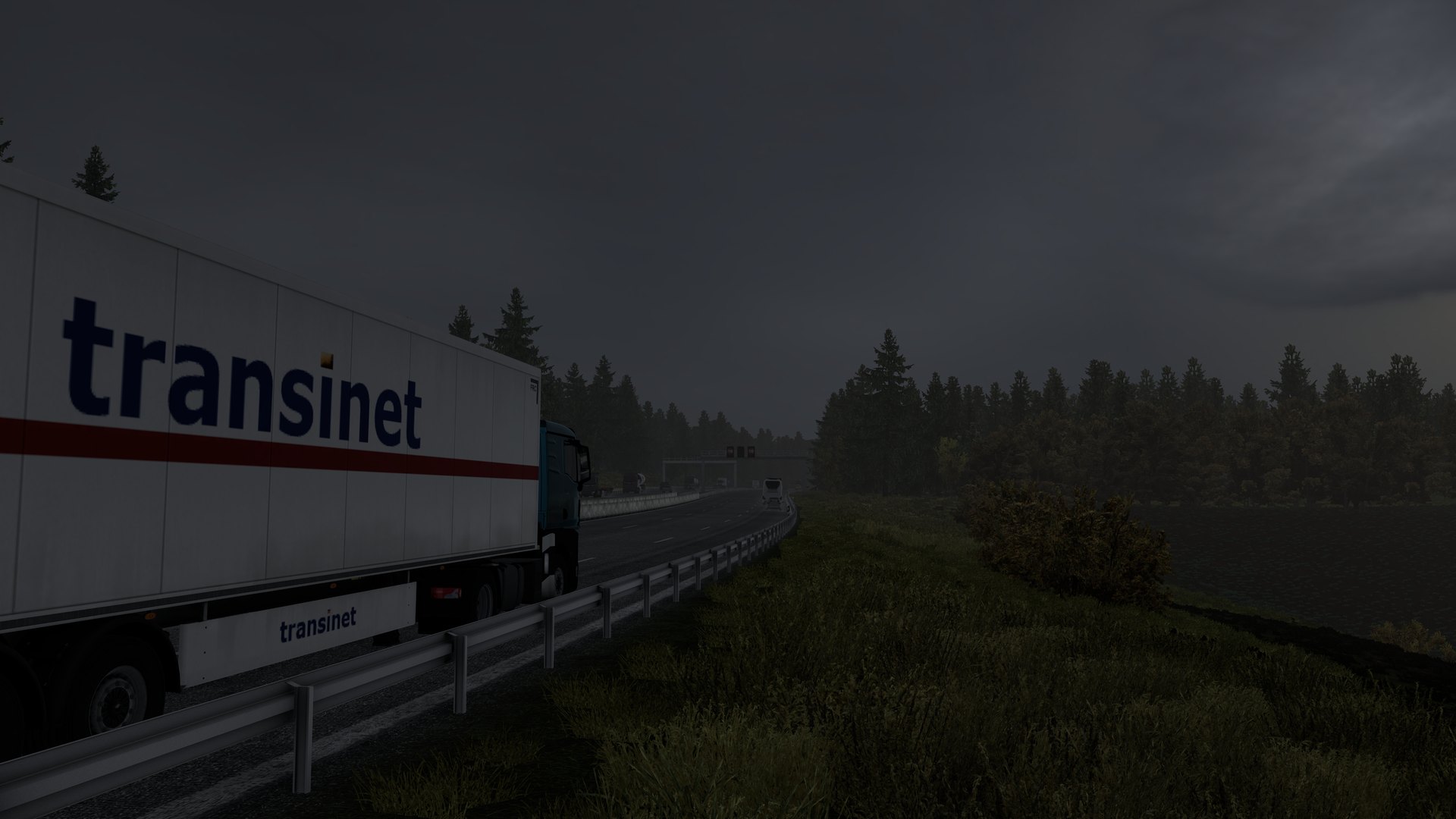
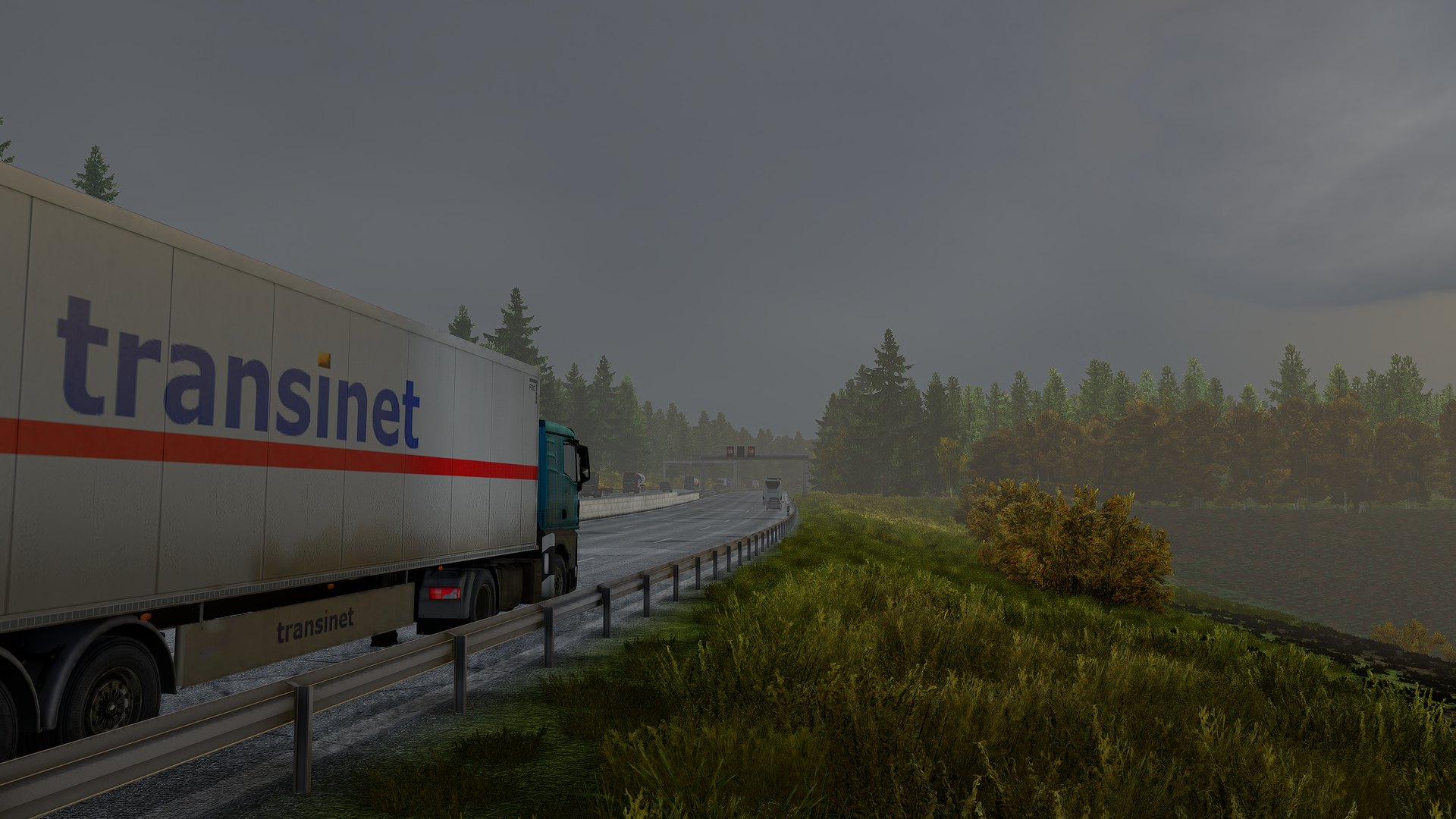
A reefer trailer on a motorway under an overcast sky, Deep Light off with the game's own TAAThe same frame with Deep Light on
Deep Light off, the game's own TAAThe same frame with Deep Light

Every comparison on this page is the same frame with Deep Light on and off. The free DBM mods from the Steam Workshop are installed in both.

Free for life. Pro when you want it all.

Deep Light Core costs nothing, needs no account and no key, and stays free on every stable game version Deep Light supports. SCS open betas come to Pro first.

Deep Light Core

Free

  • DLSS, DLAA and FSR anti-aliasing and upscaling
  • Colour grade, basic PBR lighting and sharpening
  • Night exposure, dark nights and cabin lighting
Download Core

Deep Light Pro

€2.99 a month, or €19.99 a year if you join by 1 December 2026

  • Frame generation up to 6× with DLSS, 2× with FSR
  • Every material: roads, paint, terrain, leaves
  • Look presets, filmic tonemap, motion blur, deep SSAO
Get Pro

Made for the night shift.

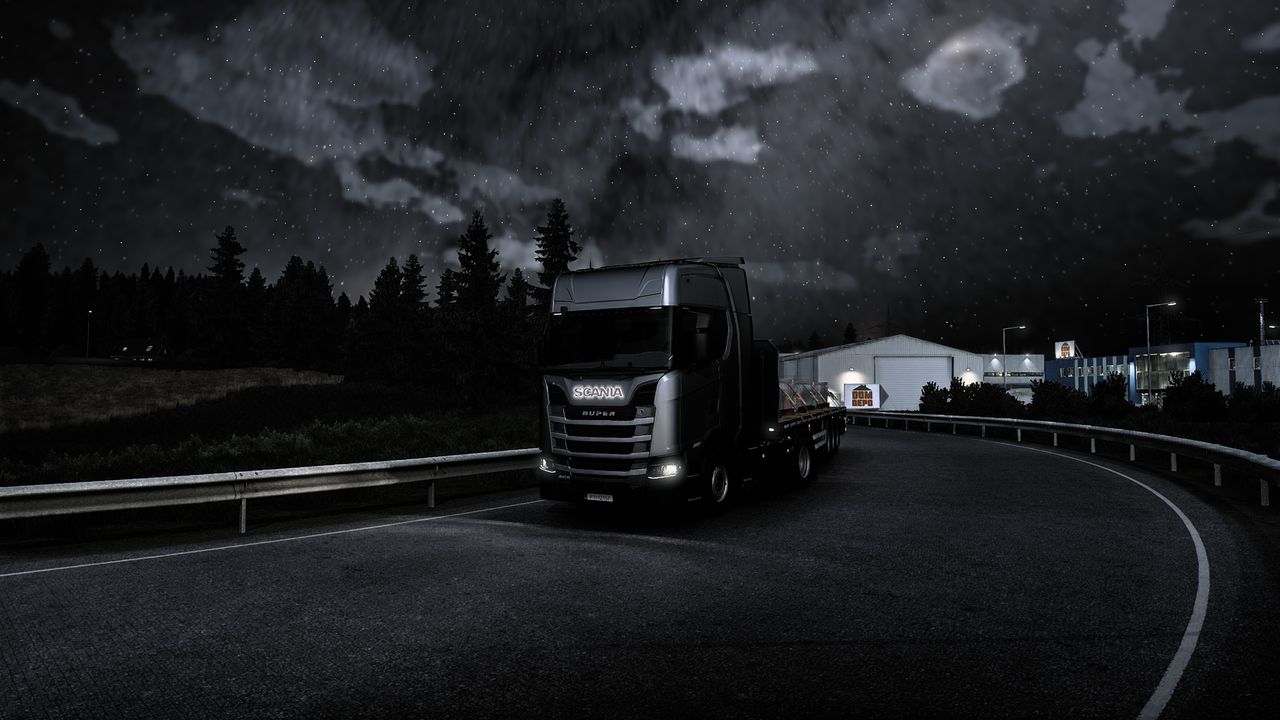
Street lights spill across wet asphalt. Rain gathers in the dips of the road and mirrors the lamps above it. The cabin stays dark, the dashboard stays sharp.

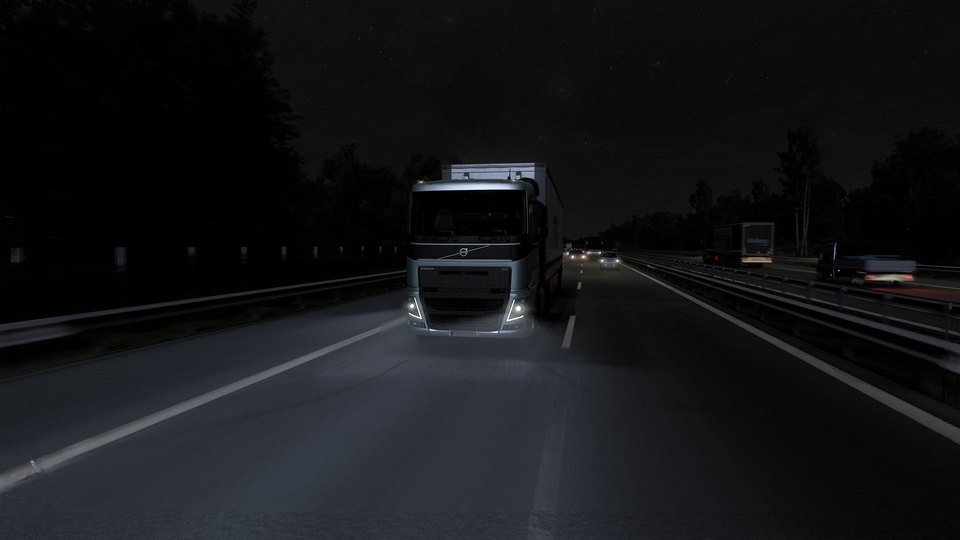
Euro Truck Simulator 2 with Deep Light: a silver Volvo FH with a white box trailer coming down a dark motorway at night, its headlights lighting the asphalt, stars over the black tree line and traffic lights in the distance
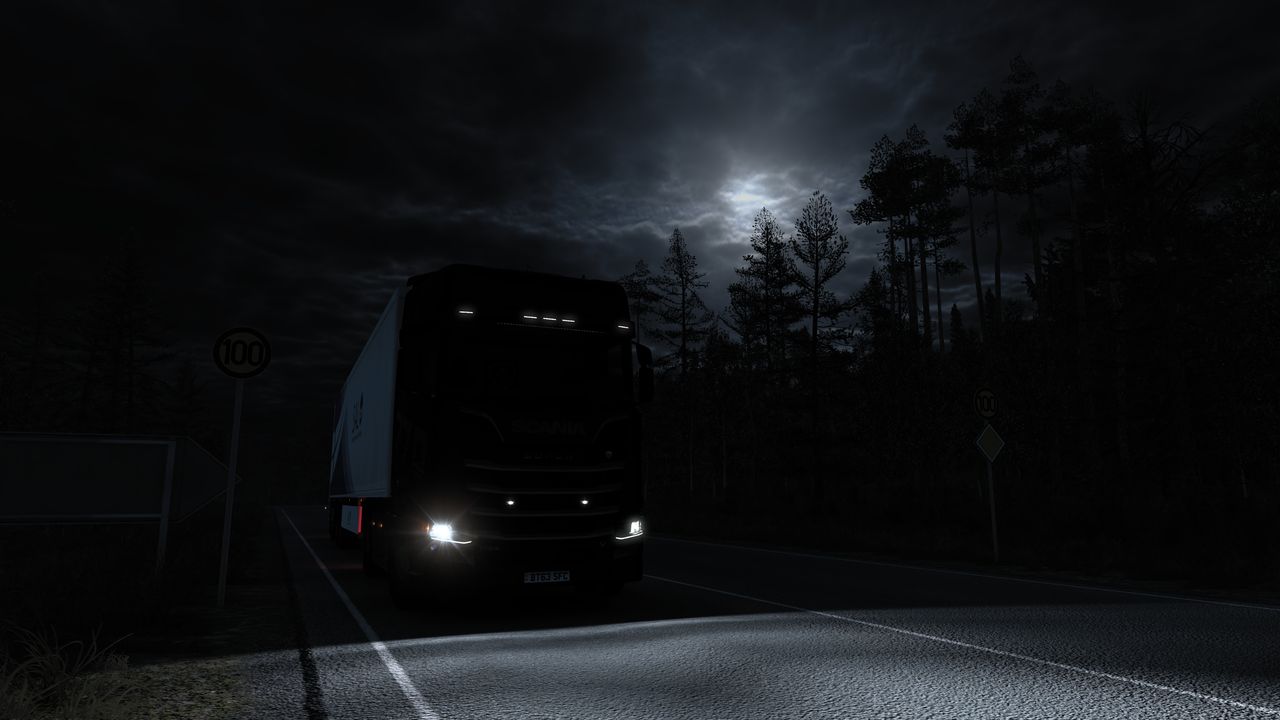
A real night: dark trees, stars, and headlights that light the road. Headlight beams coming in a later update.
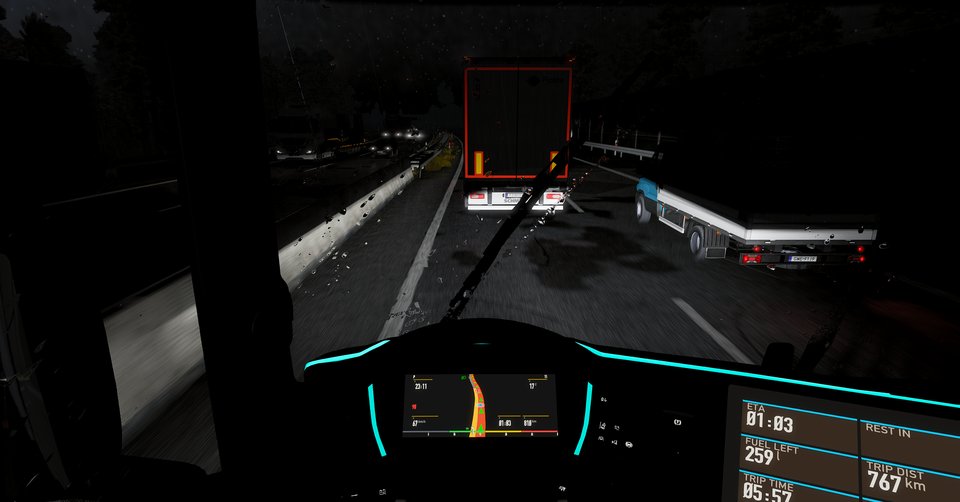
Night rain seen from the cab, raindrops on the windscreen, a trailer ahead on a wet motorway
Night rain from the cab. 51 fps rendered, 154 on screen with DLSS frame generation.
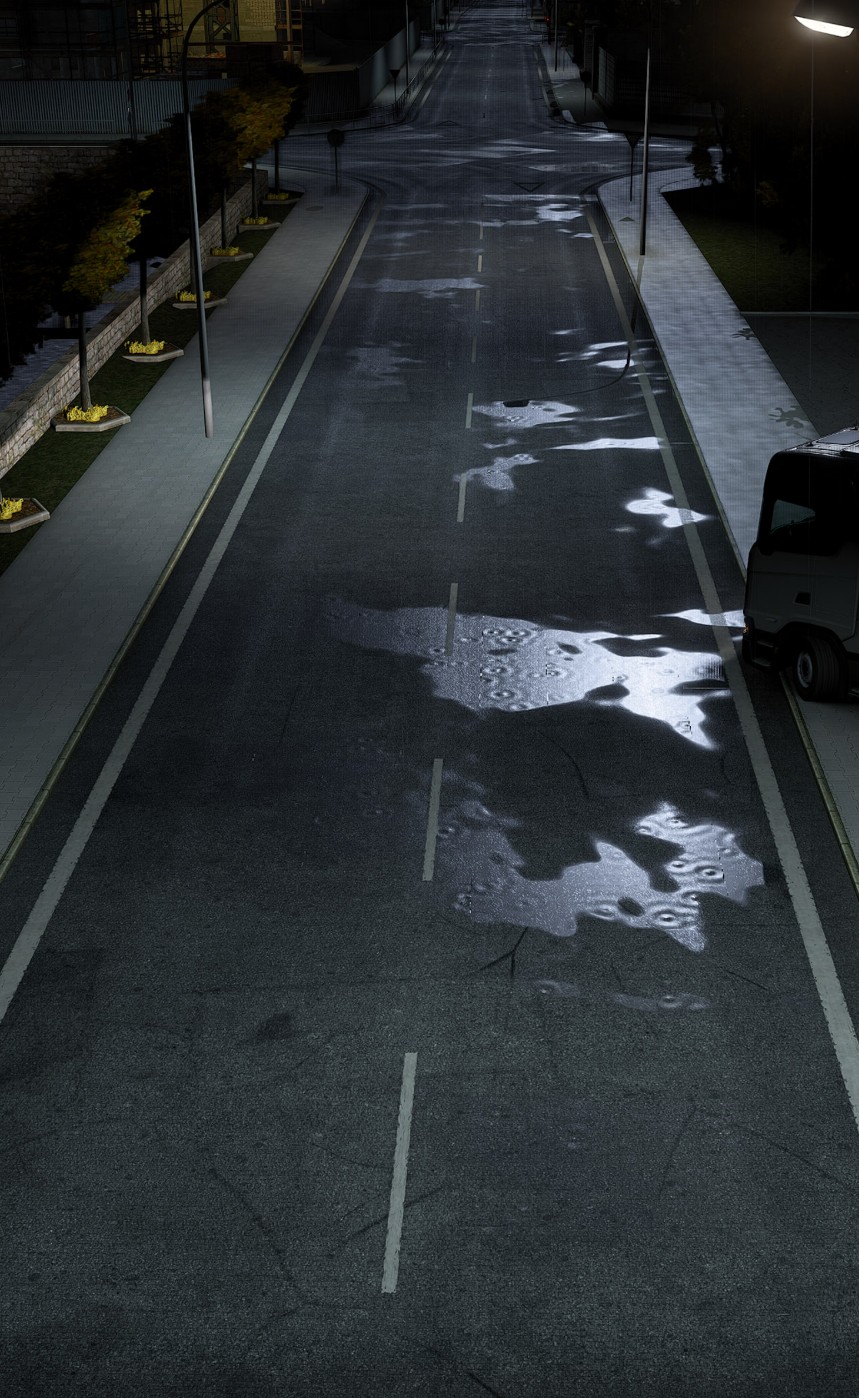
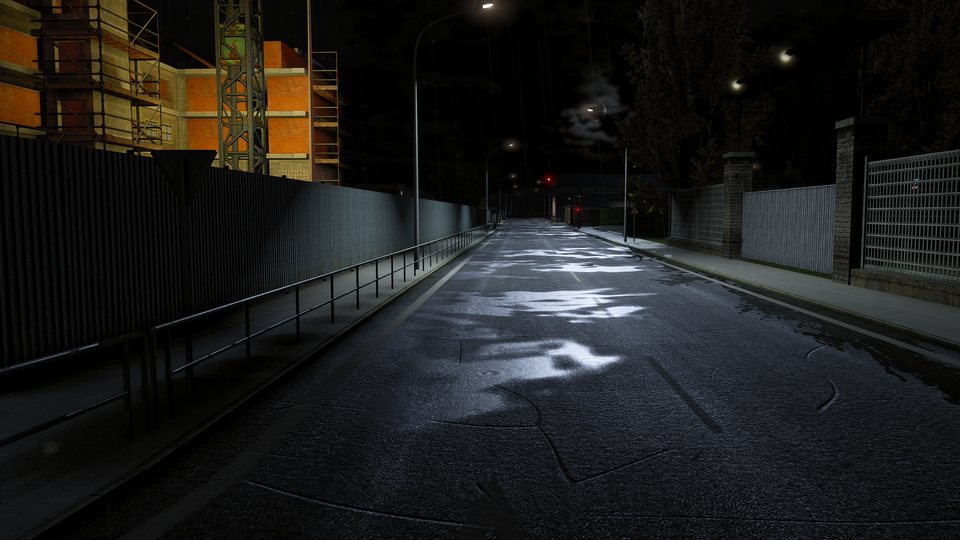
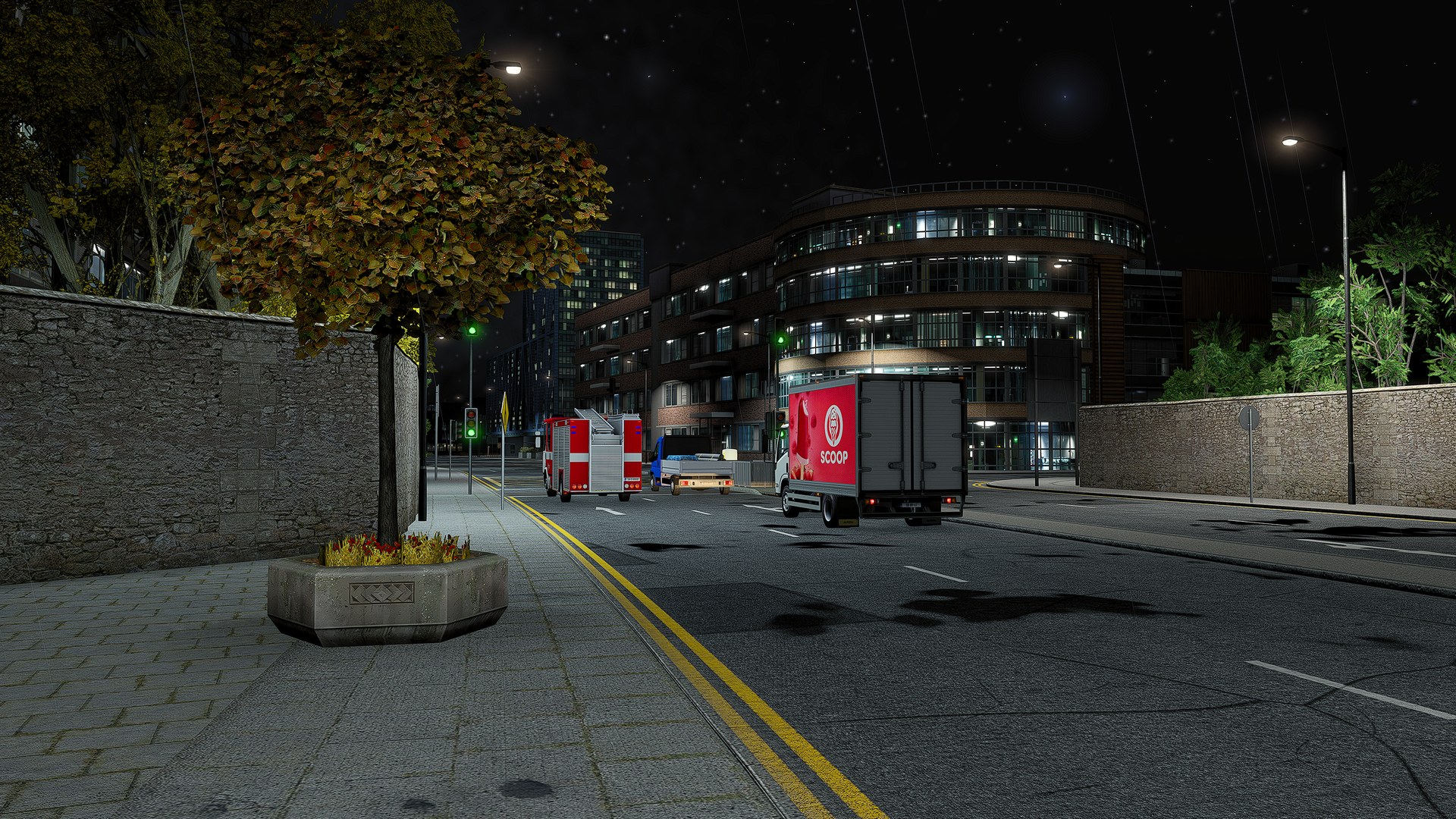
Puddles on a city street at night reflecting the street lights
Puddles, cracks and patches, new in Deep Light 1.0.4.
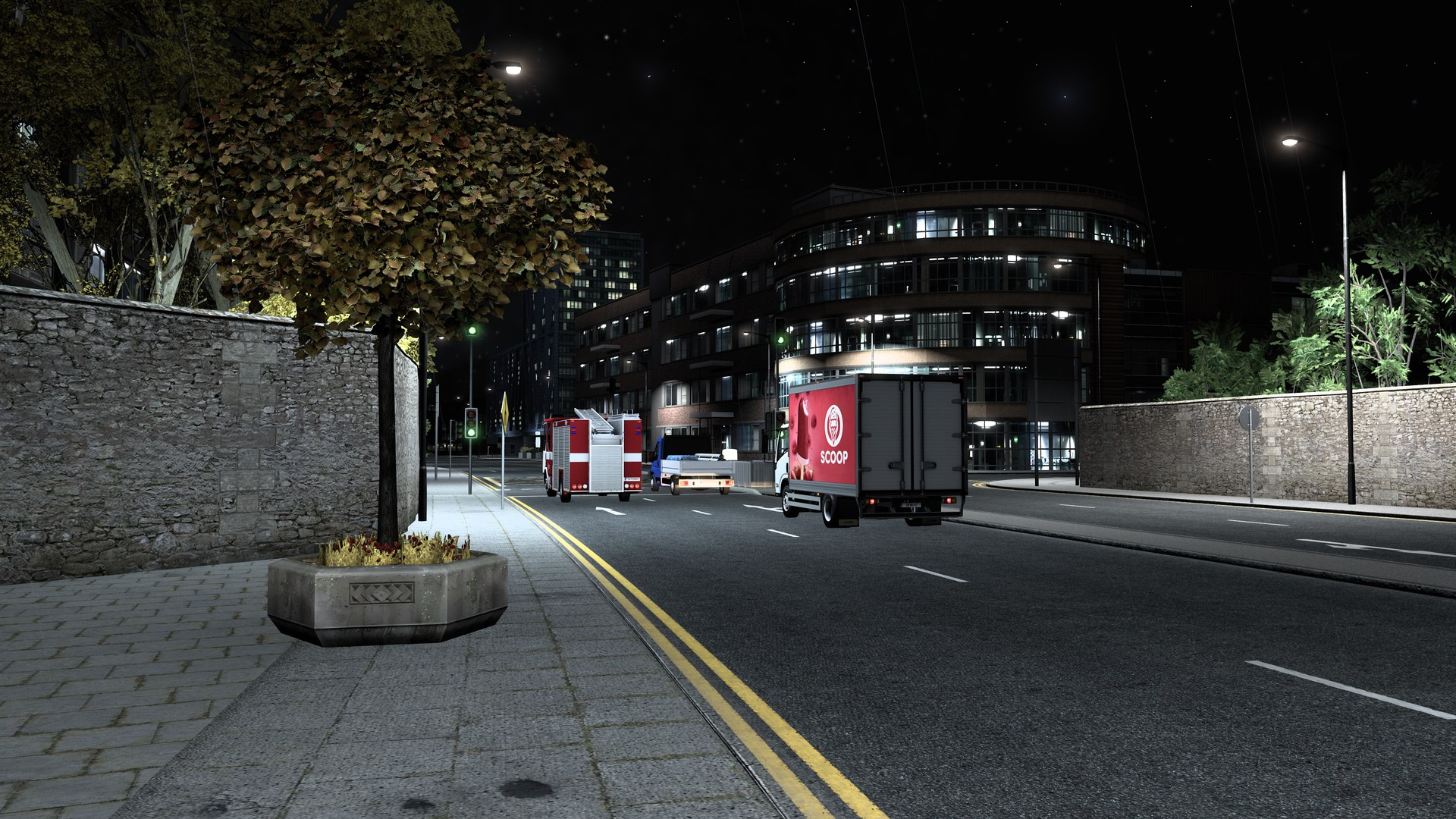
Euro Truck Simulator 2, a city street at night with a fire engine and a delivery truck at the lights, Deep Light offEuro Truck Simulator 2, a city street at night with a fire engine and a delivery truck at the lights, Deep Light on
Deep Light onDeep Light off, the game's own TAA

Cracks, patches and puddles are drawn over the road's own texture, so they look deepest with the free DBM Road Textures from the Steam Workshop, which these shots use. On the road that ships with the game they are flatter.

Lines that hold still.

A construction yard, zoomed in on the steel beams and the barriers. The camera does not move, yet the game's anti-aliasing makes every thin edge crawl and flicker. With DLSS through Deep Light they stay put.

Deep Light, DLSSThe game's TAA

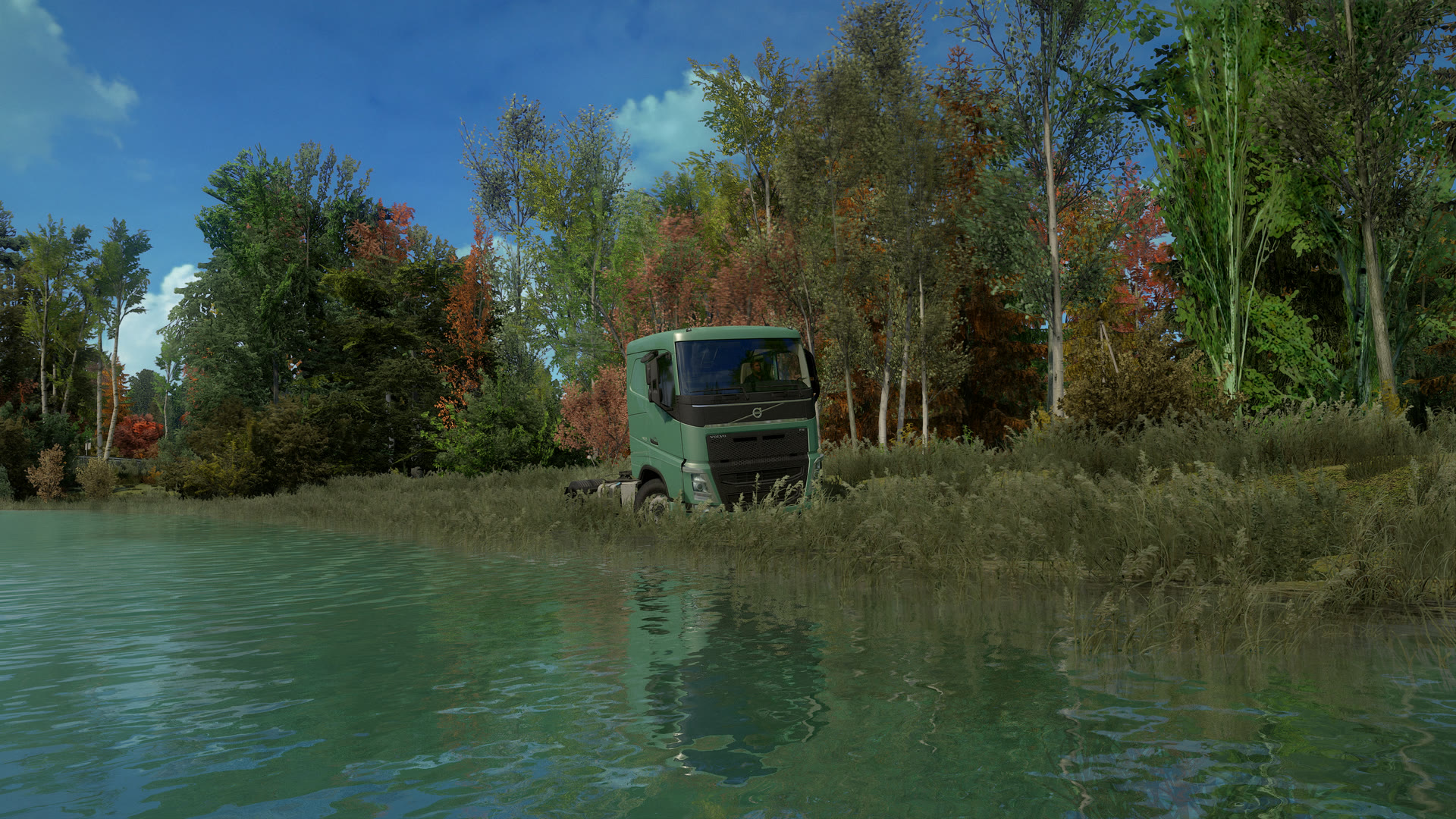
Water that looks like water.

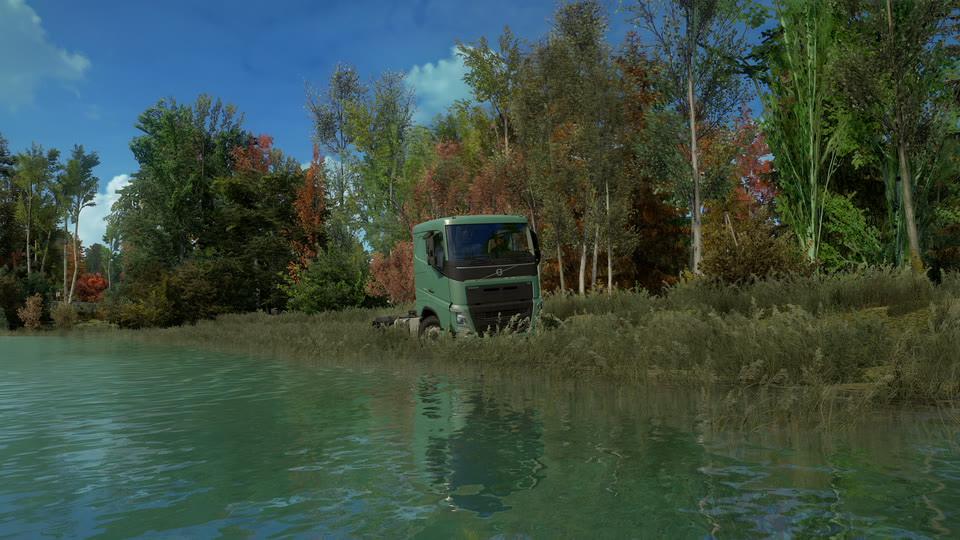
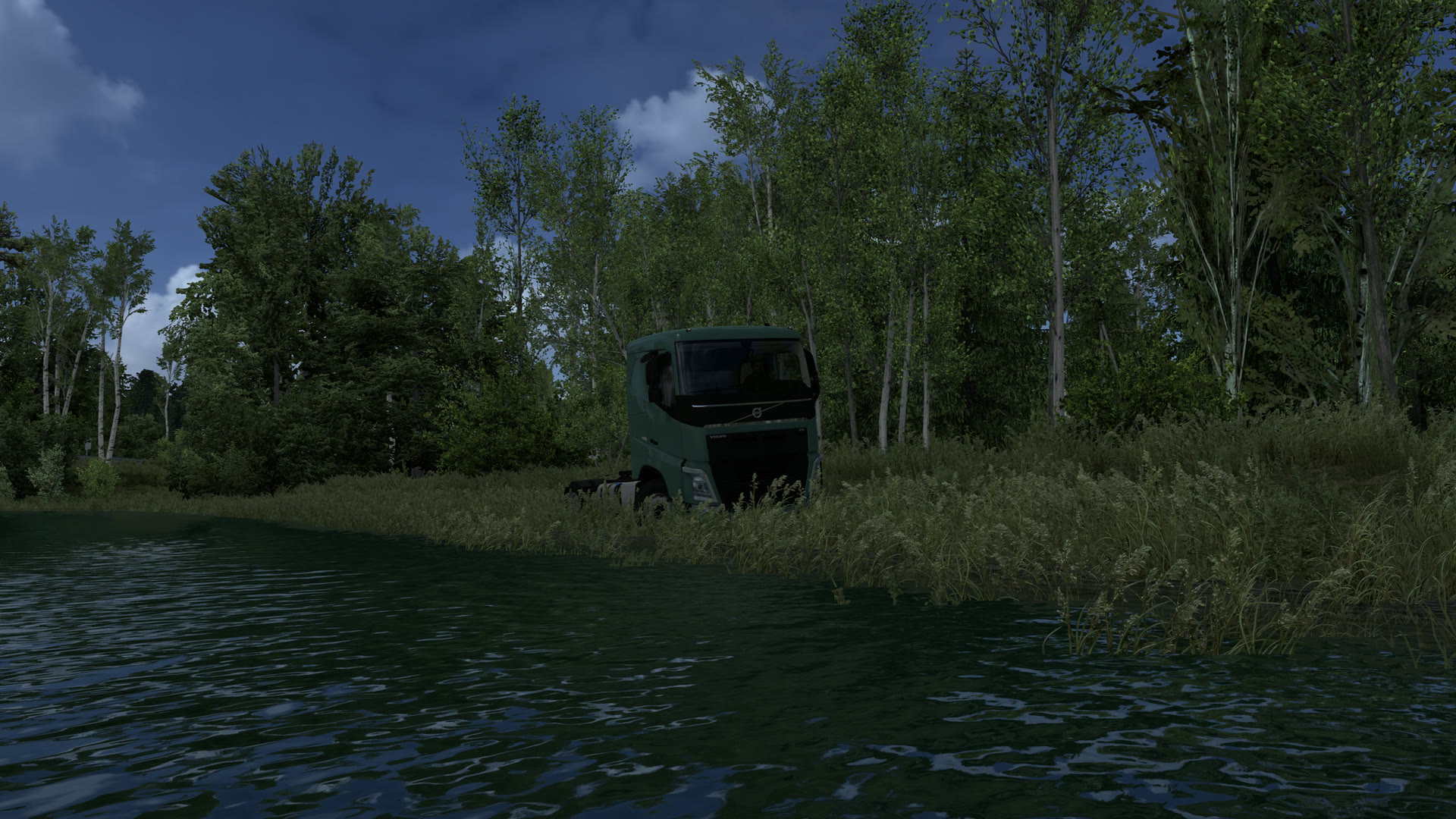
Same lake, same minute. The game paints it as a dark sheet that gives nothing back. With Deep Light the wind runs across it, and the clouds, the birches and the truck on the shore come back to you in every ripple. Arriving with the next update.

Euro Truck Simulator 2, a green Volvo FH tractor in tall reeds on a lake shore under birches and autumn trees, seen from the water, Deep Light offEuro Truck Simulator 2, a green Volvo FH tractor in tall reeds on a lake shore under birches and autumn trees, seen from the water, Deep Light on
Deep Light onDeep Light off, the game's own TAA

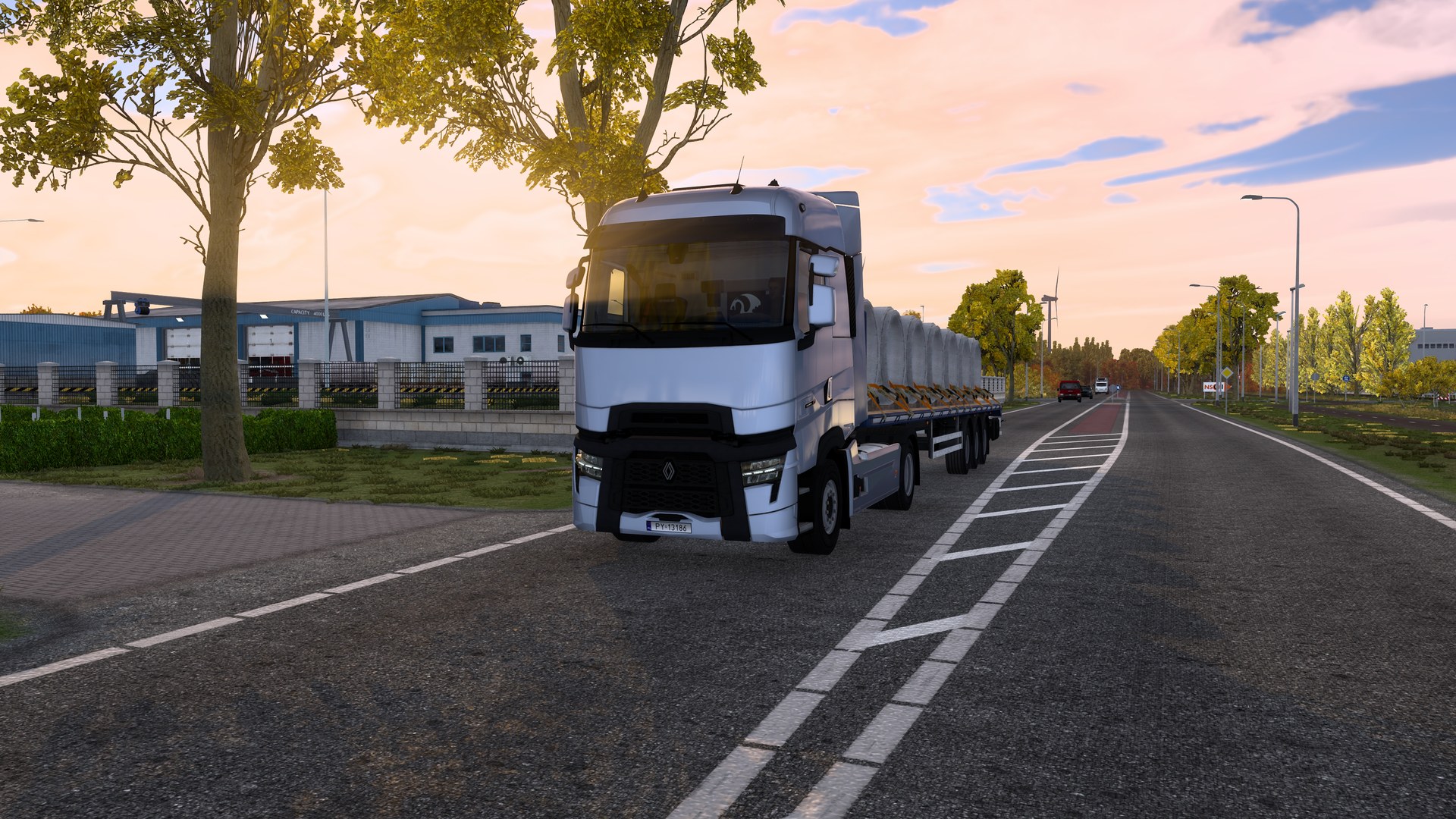
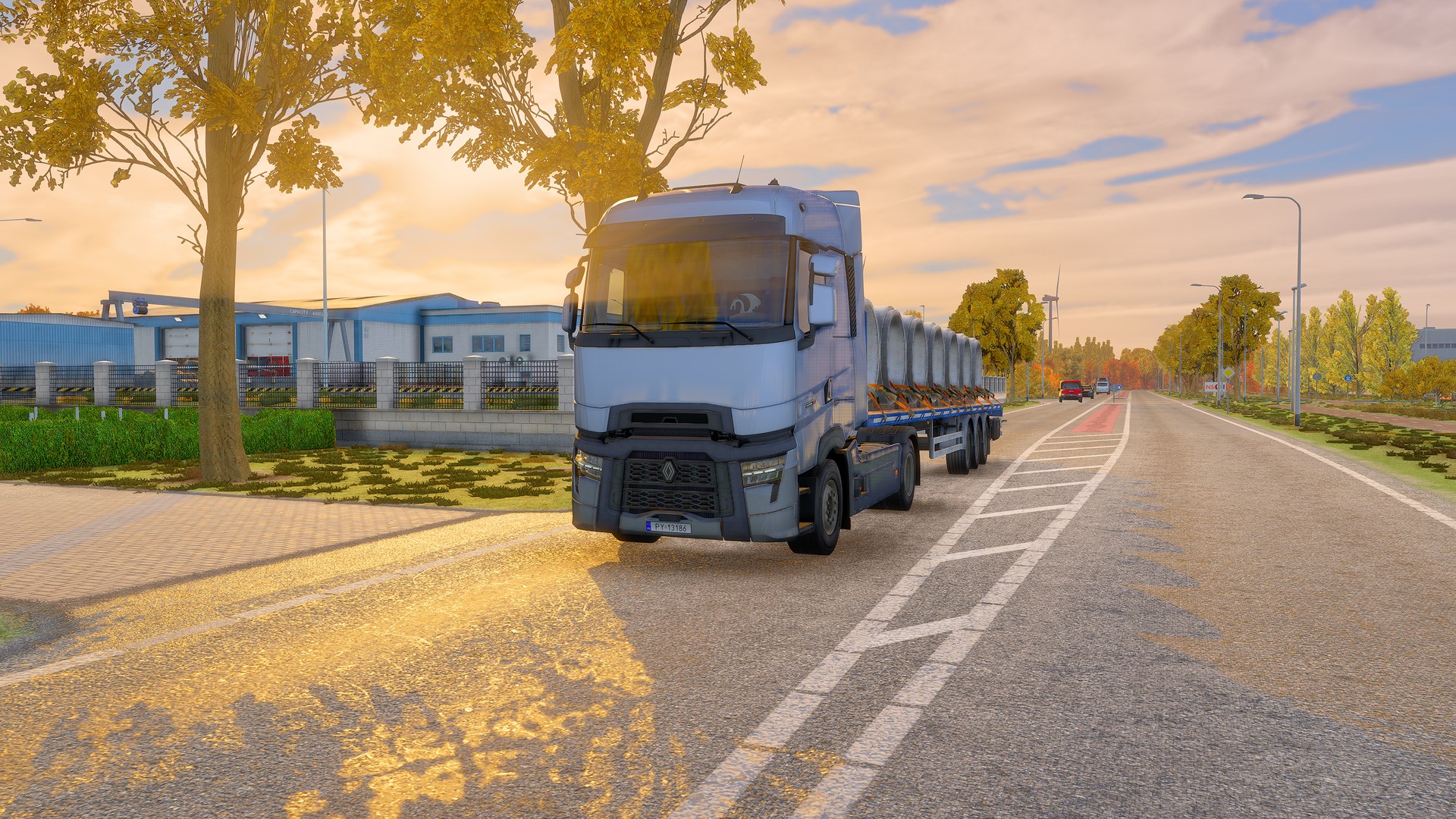
Low sun through the trees.

Evening light falls between the leaves and lands on the road in warm patches. The leaves glow where the sun comes through them.

Euro Truck Simulator 2, a white Renault T with a flatbed of concrete pipes on an industrial road at sunset, Deep Light offEuro Truck Simulator 2, a white Renault T with a flatbed of concrete pipes on an industrial road at sunset, Deep Light on
Deep Light onDeep Light off, the game's own TAA

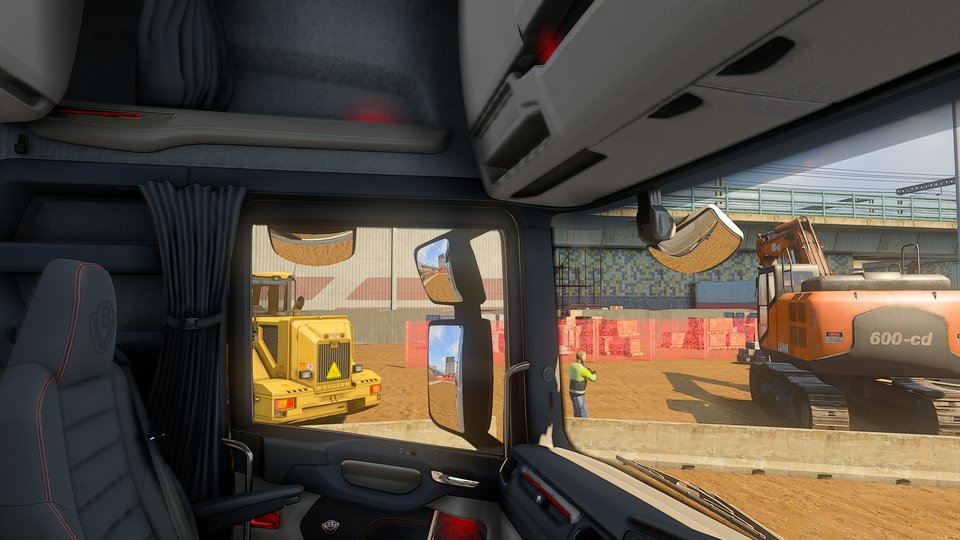
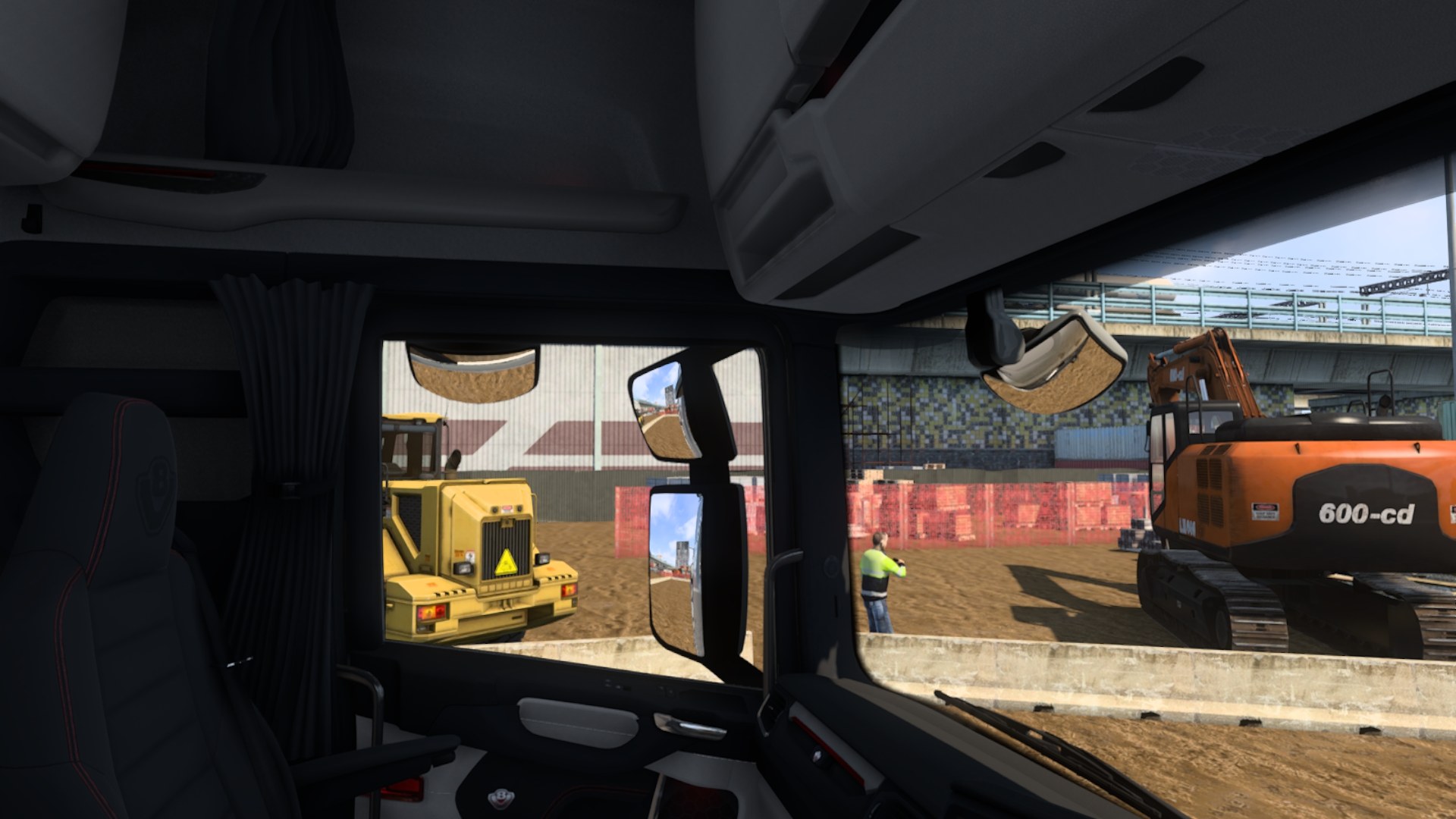
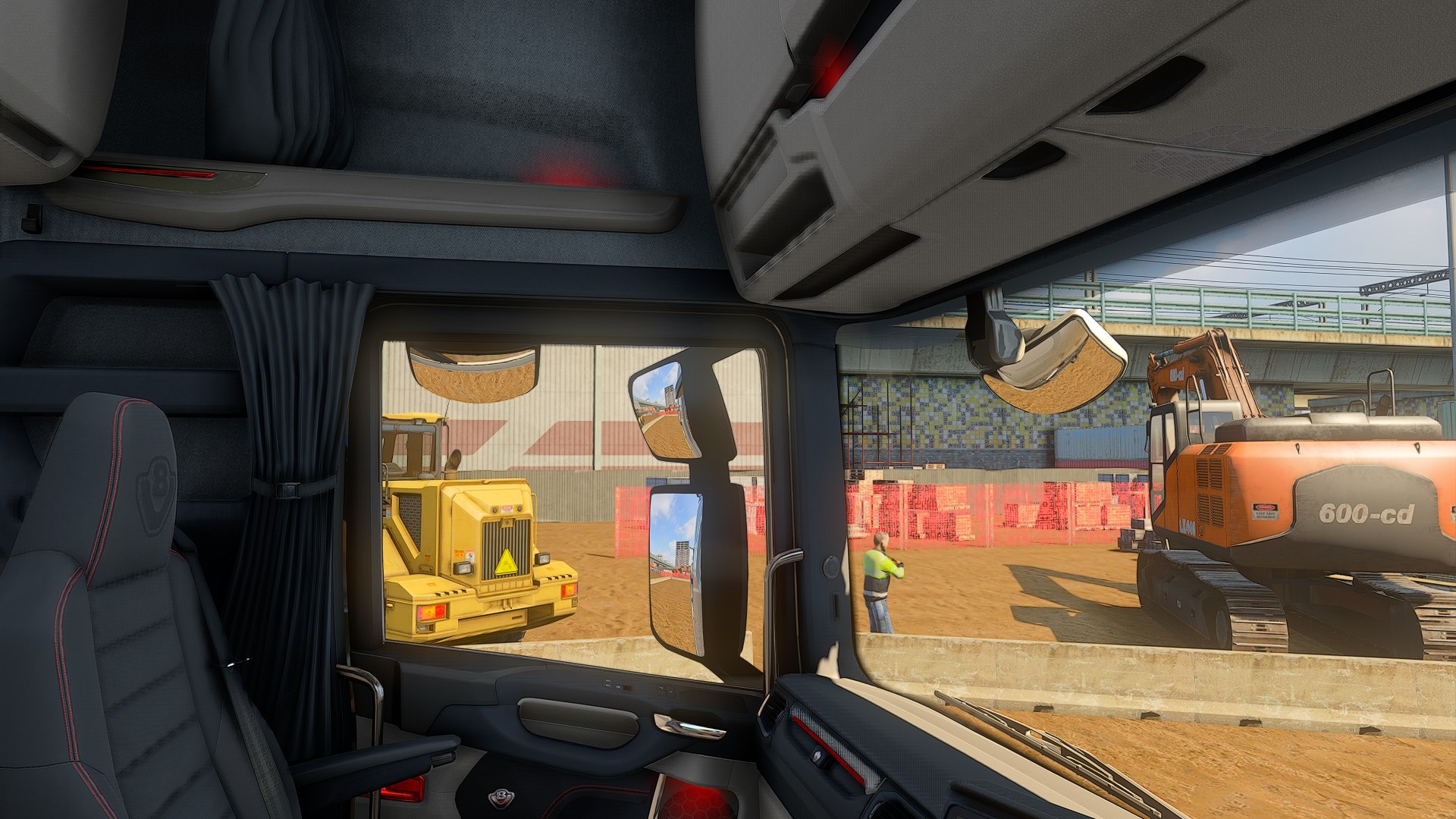
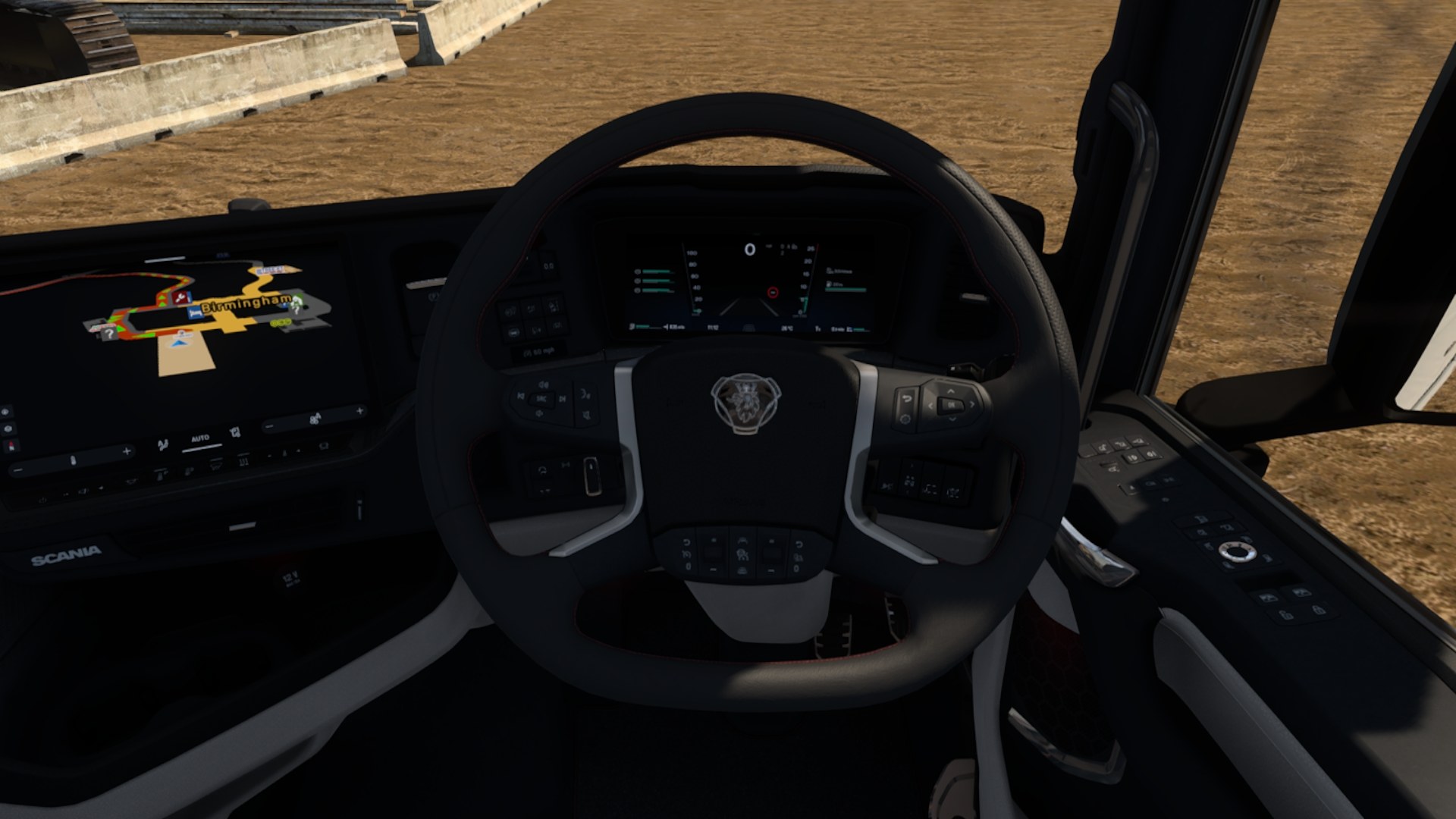
Summer in the cab.

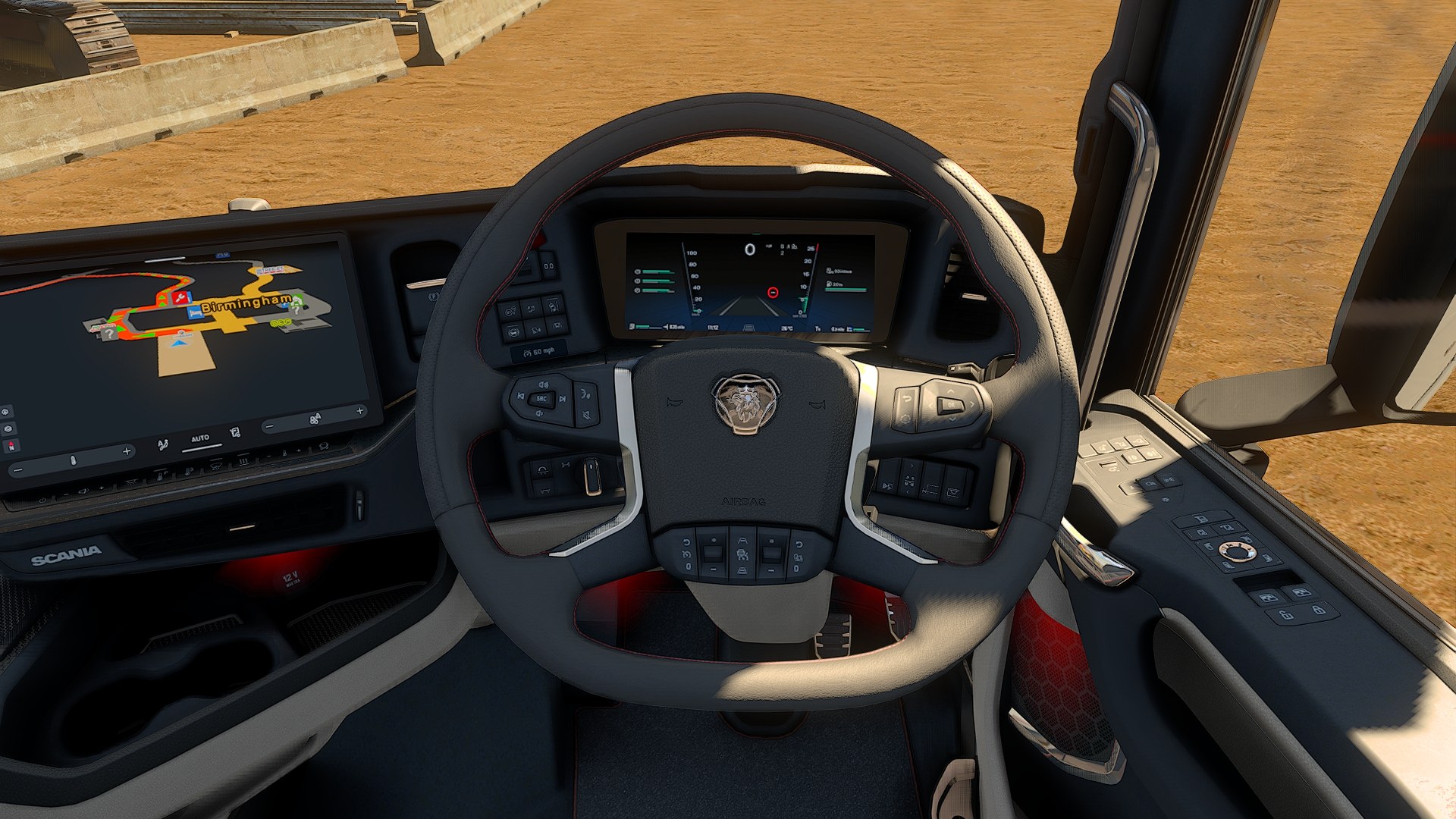
Climb in on a hot afternoon and you can feel it. The sun burns across the dashboard, the leather shows every stitch and the trim catches the light. Deep Light follows the game's sun and weather, so the cab always looks like the day outside.

Euro Truck Simulator 2, the inside of a Scania cab on a construction site: seat, curtain, side mirrors, a wheel loader and an excavator outside, VanillaEuro Truck Simulator 2, the inside of a Scania cab on a construction site: seat, curtain, side mirrors, a wheel loader and an excavator outside, Deep Light on
Deep Light on, Photorealist presetVanilla game, no mods, the game's own TAA
Euro Truck Simulator 2, the steering wheel and dashboard of a Scania in the sun on a construction site, VanillaEuro Truck Simulator 2, the steering wheel and dashboard of a Scania in the sun on a construction site, Deep Light on
Deep Light on, Photorealist presetVanilla game, no mods, the game's own TAA

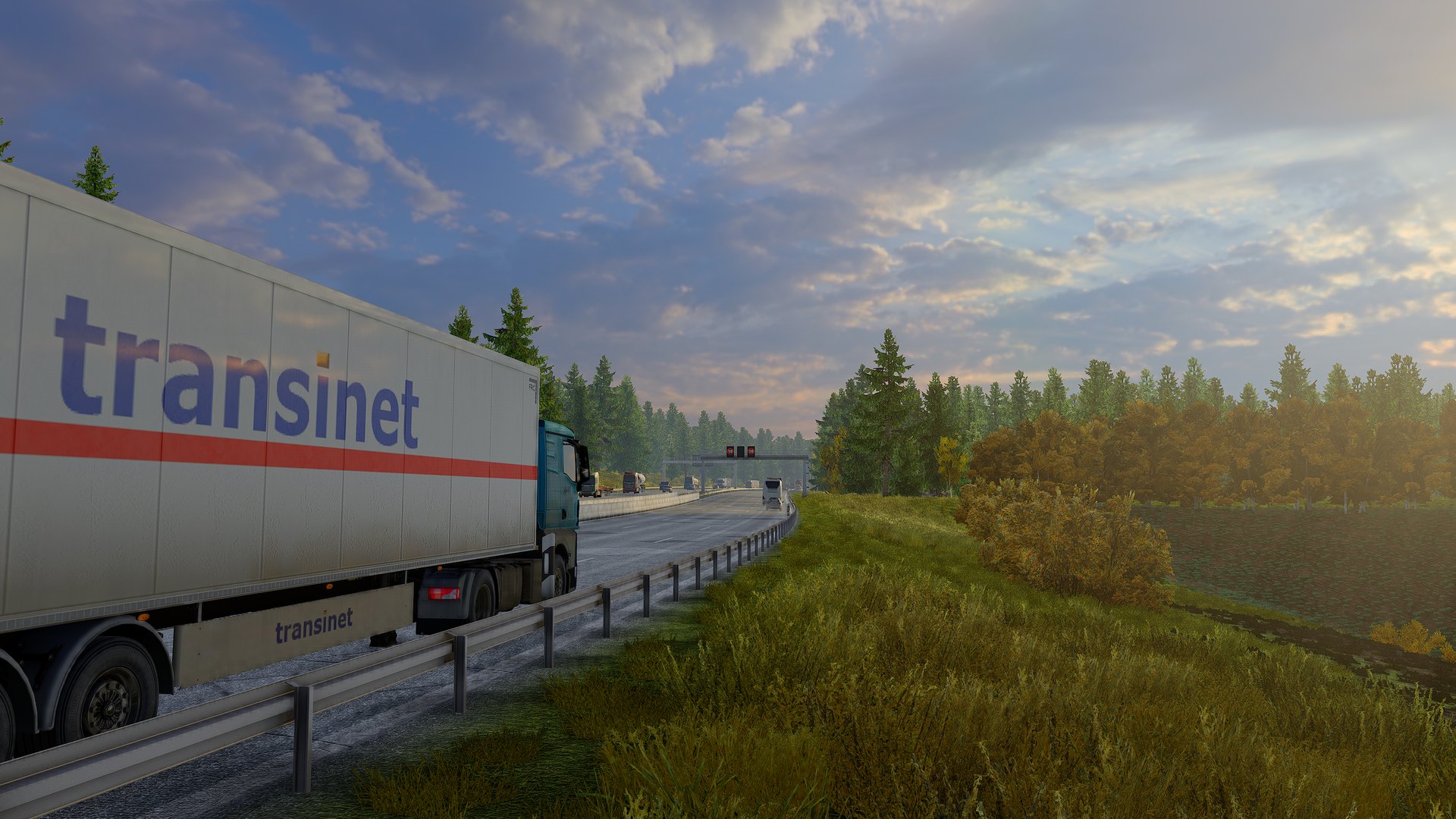
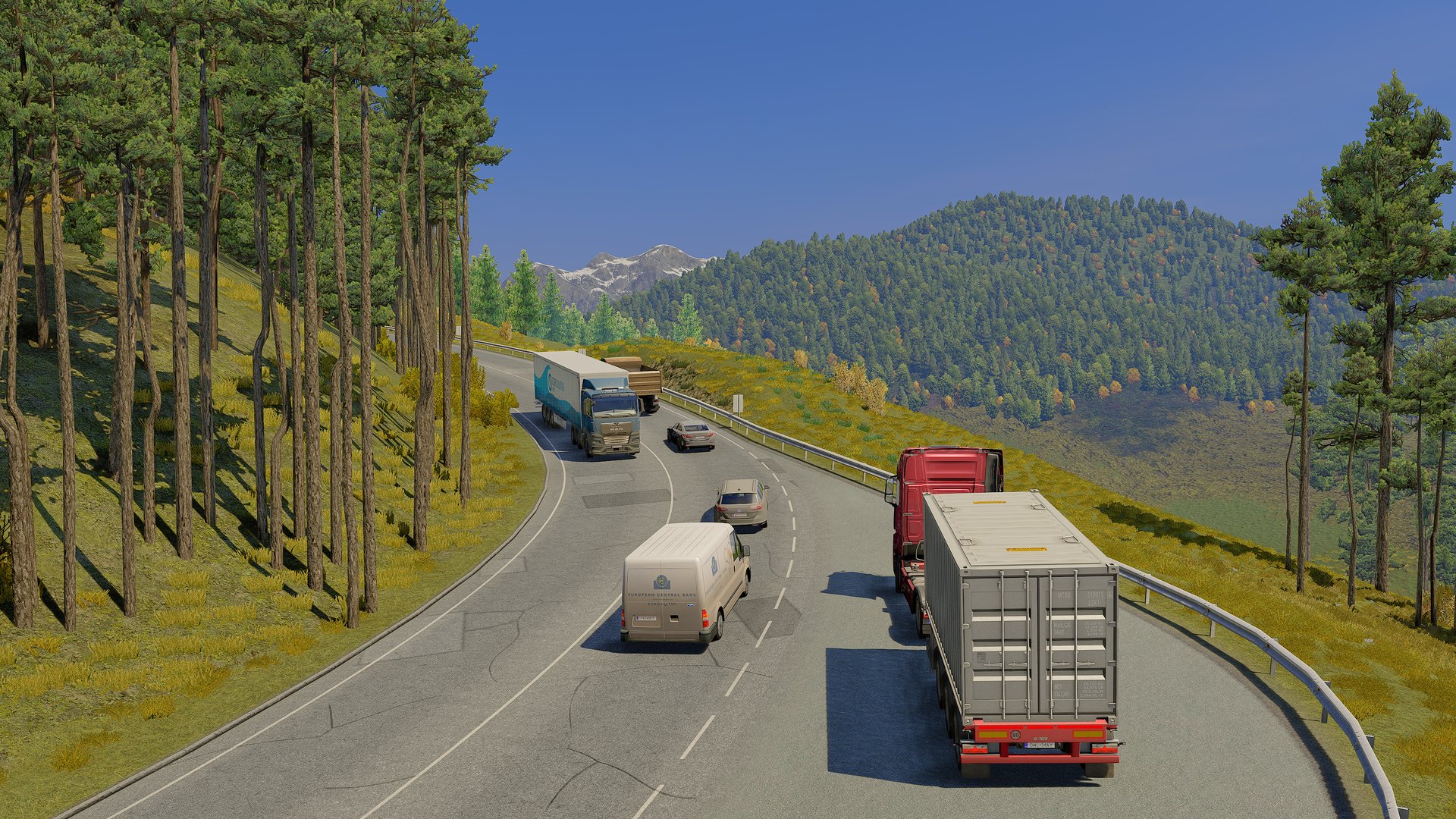
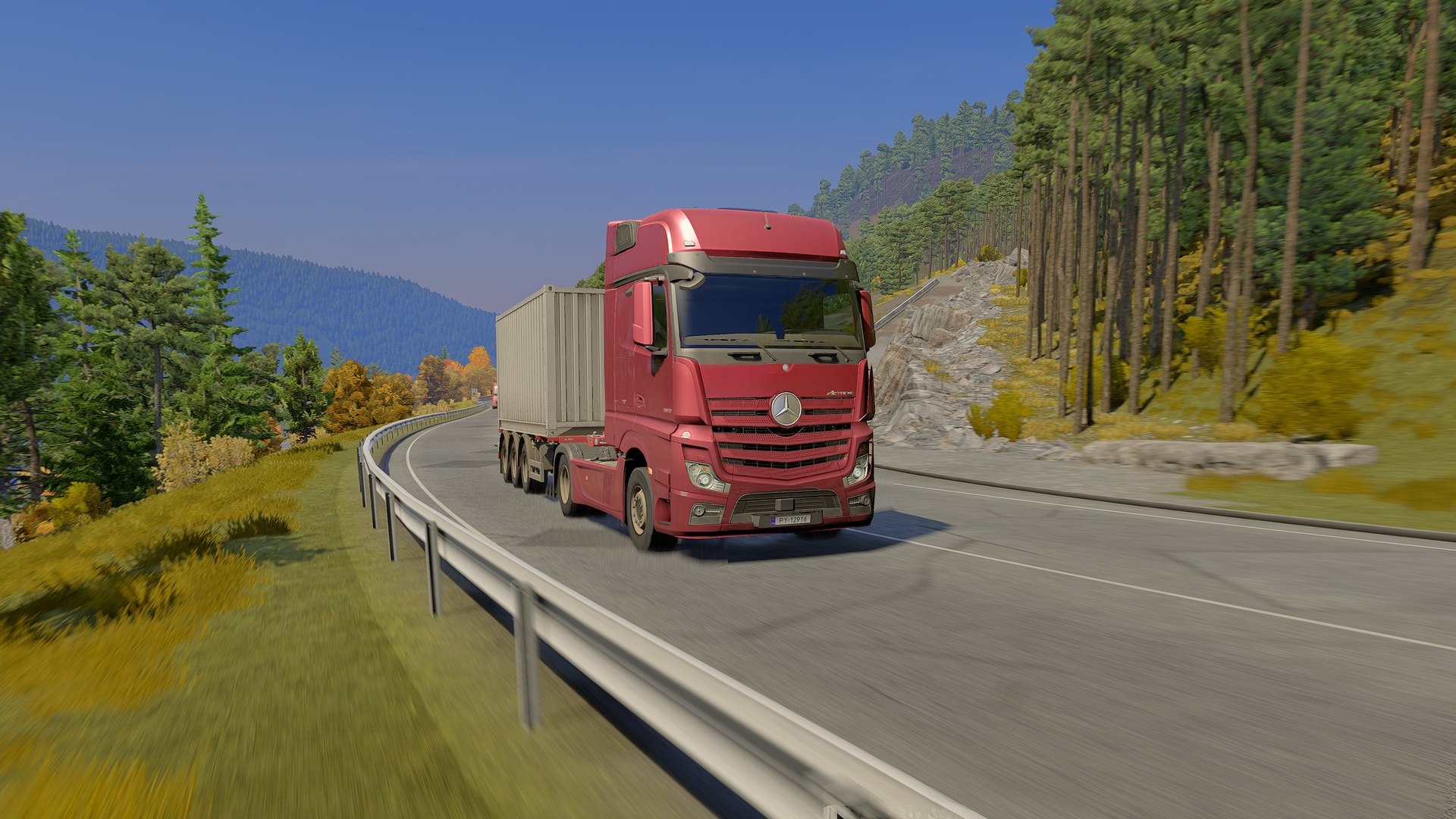
Every hour, every weather.

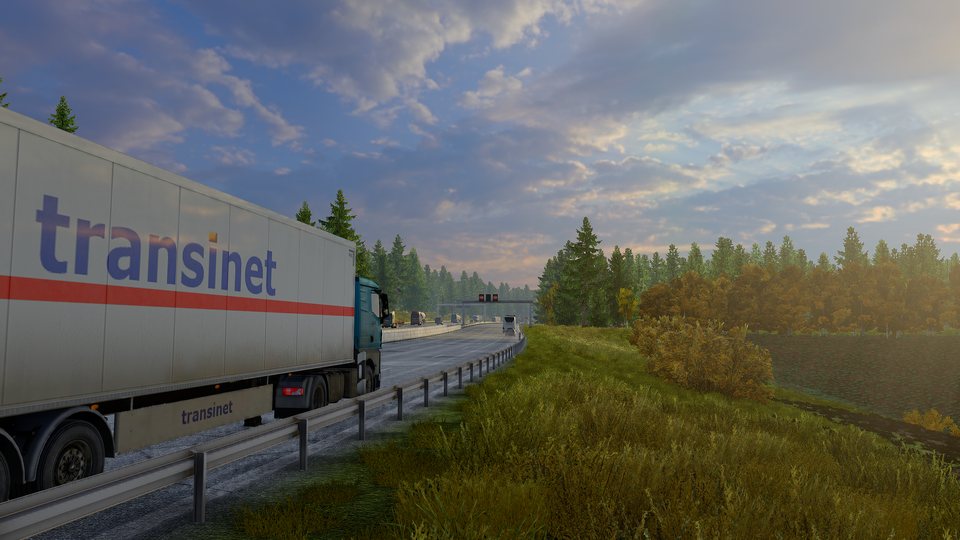
A reefer trailer on a motorway beside a lake, clouds lit by a low sun
Late sun over the motorway.
Trucks and vans on a mountain road through a pine forest, snow on the peaks
Mountain traffic in autumn.
A red Mercedes Actros with a container on a mountain curve by the guardrail
Mountain curves above the valley.
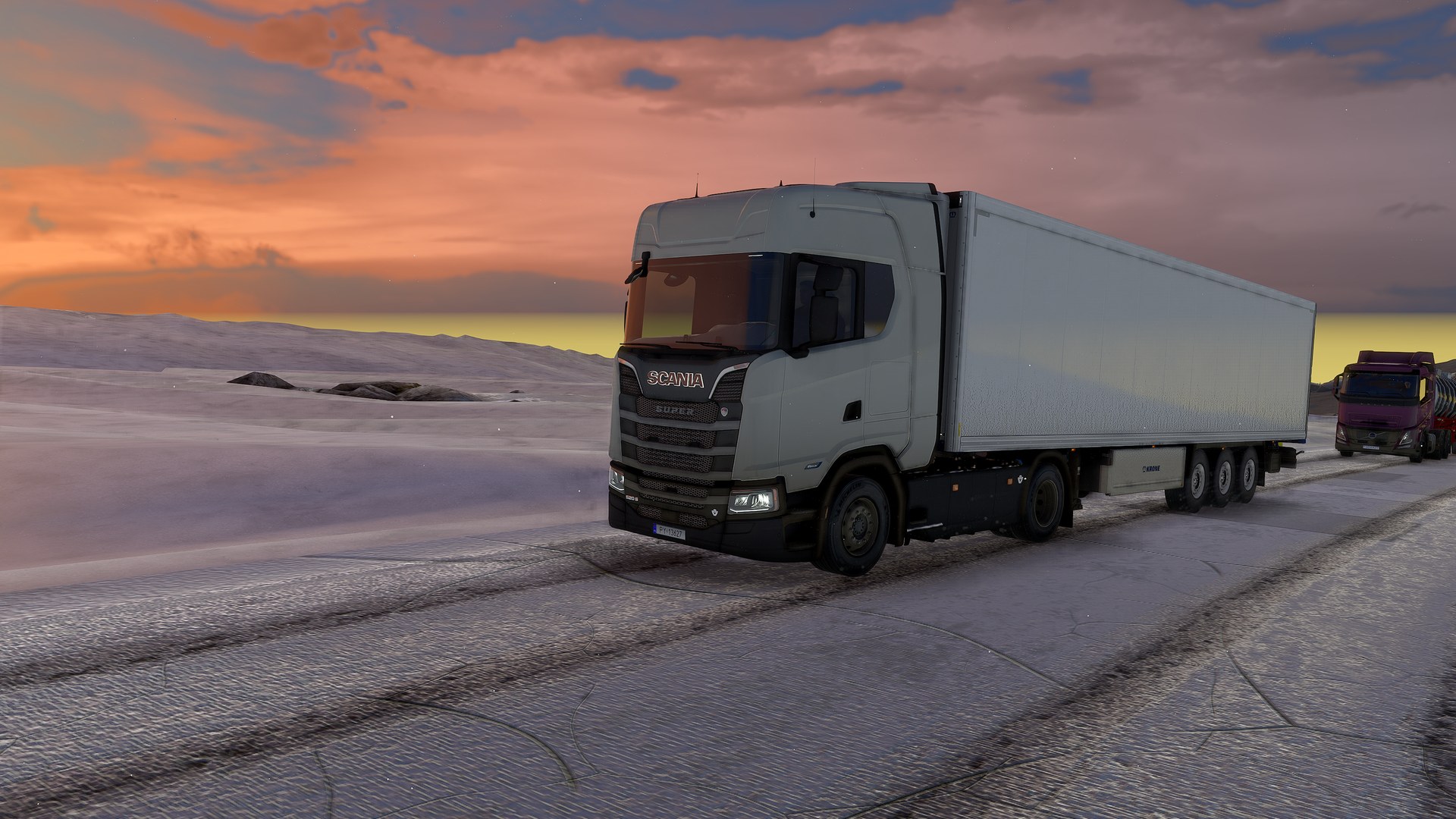
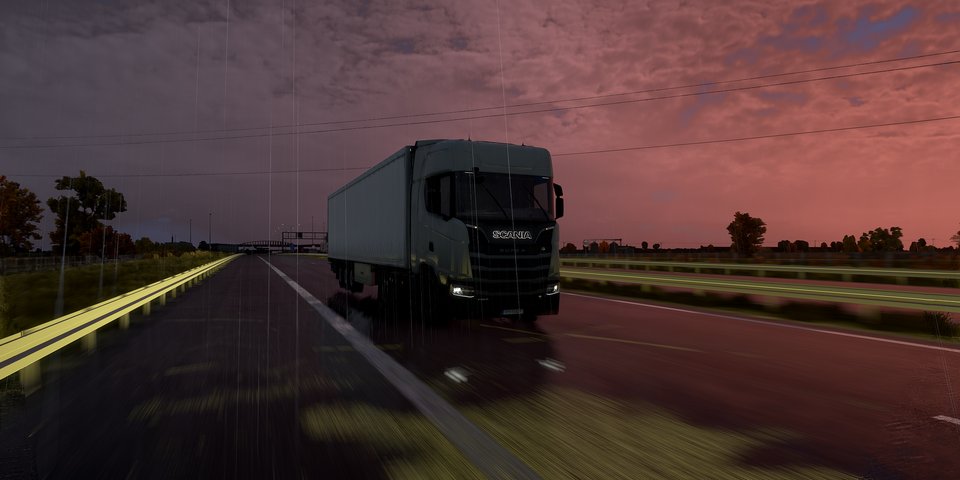
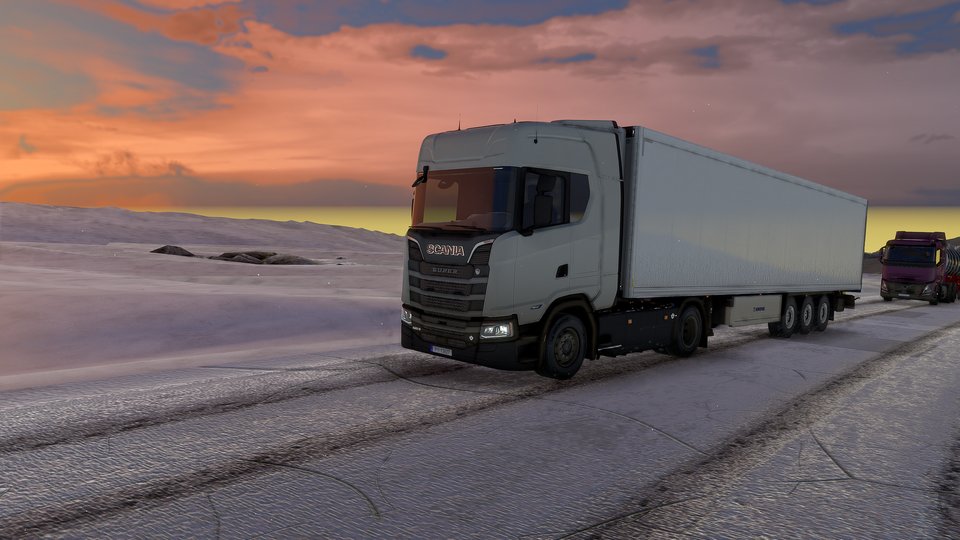
A white Scania on an icy road under a pink and orange sunset
Pink sunset over an icy road.
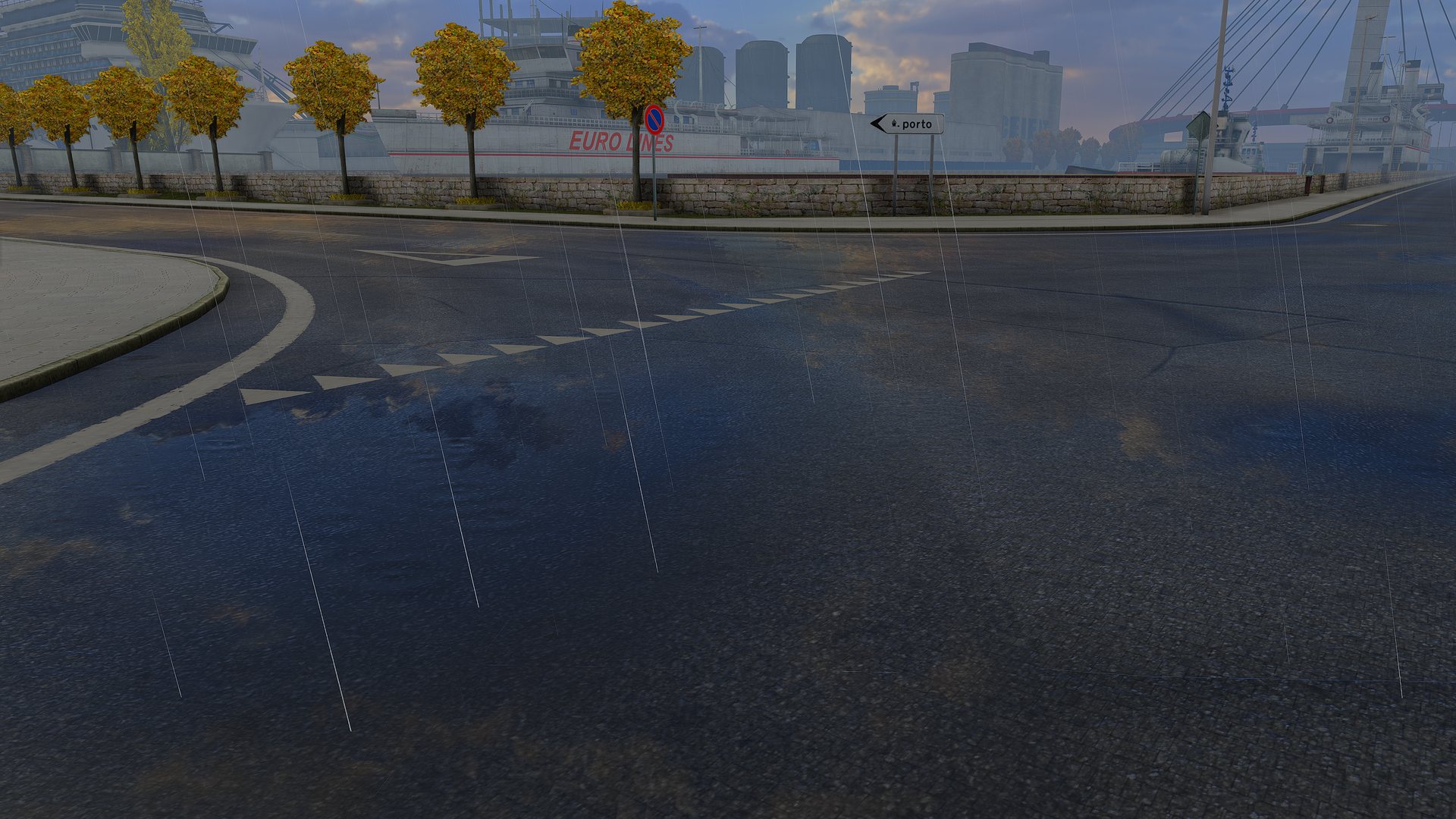
A rainy crossing in a town, wet asphalt and puddles
Rain on a town crossing.
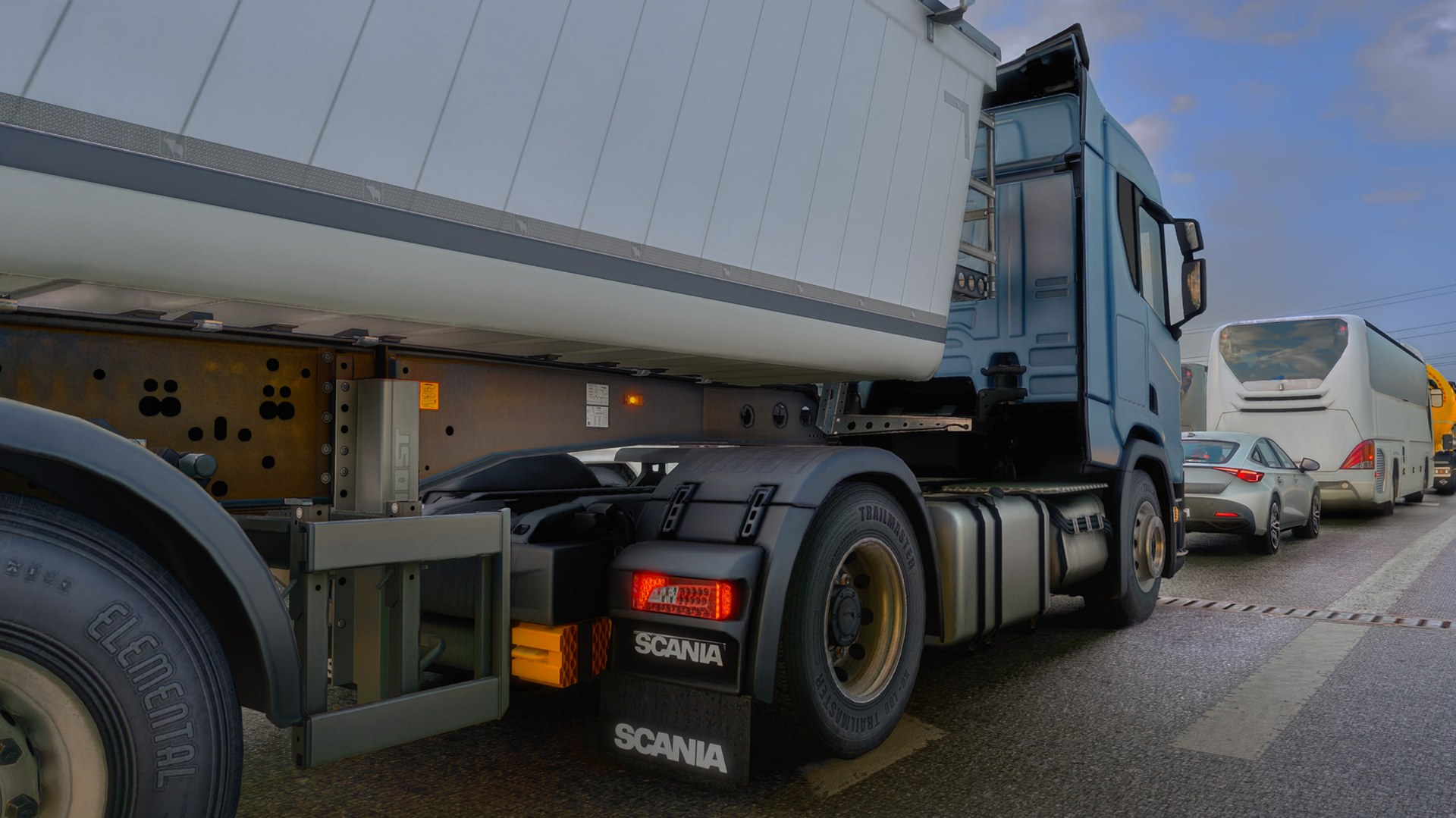
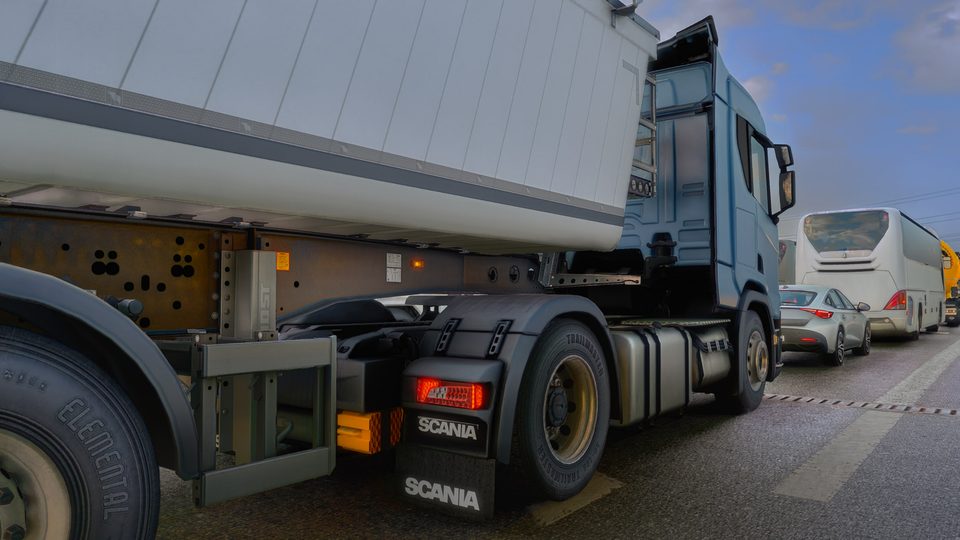
A blue Scania with a tipper trailer waiting in traffic under an overcast sky
Overcast afternoon in traffic.
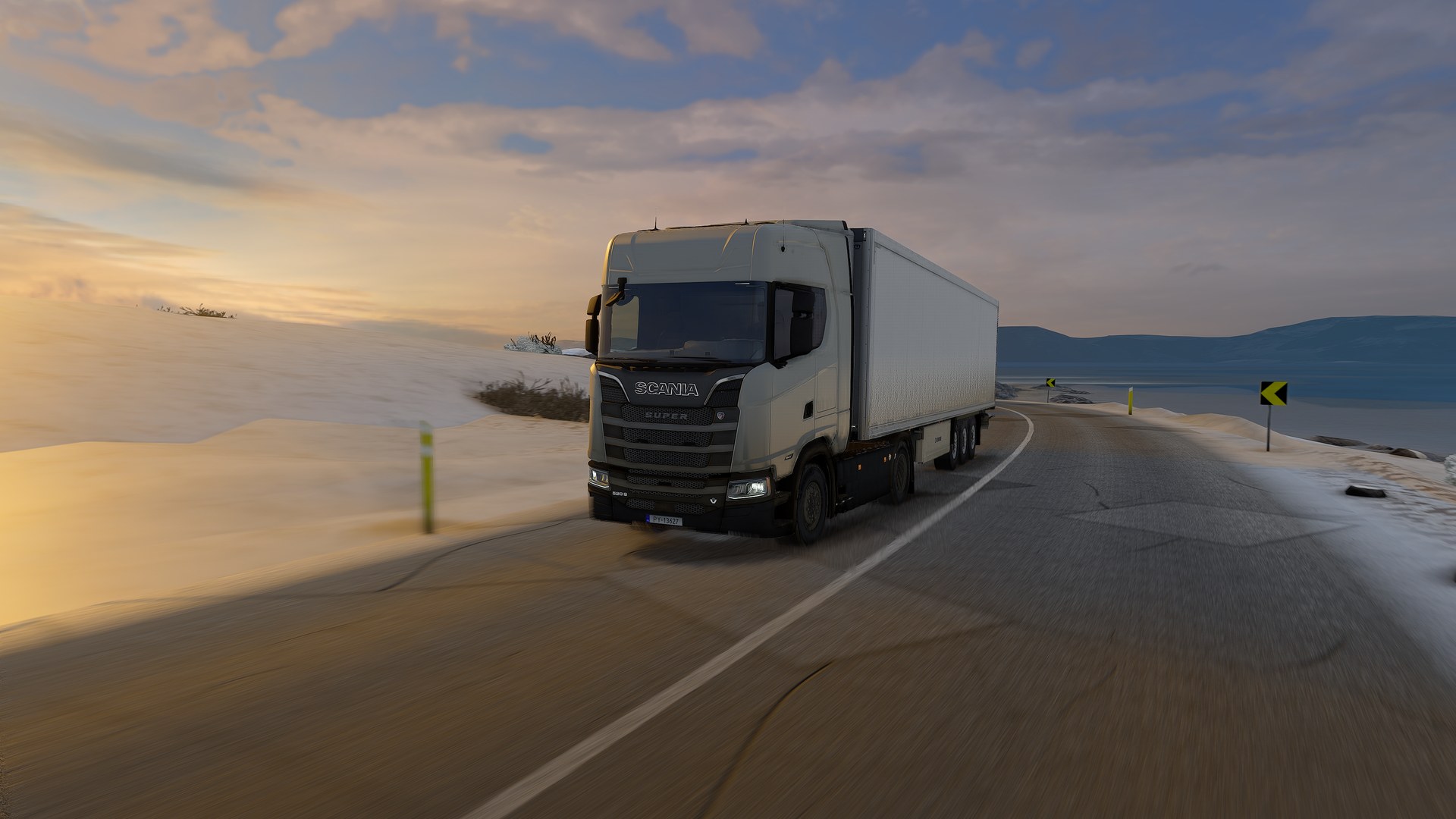
A Scania with a reefer trailer on a snowy coast road at sunset
Snowy coast road at sunset.
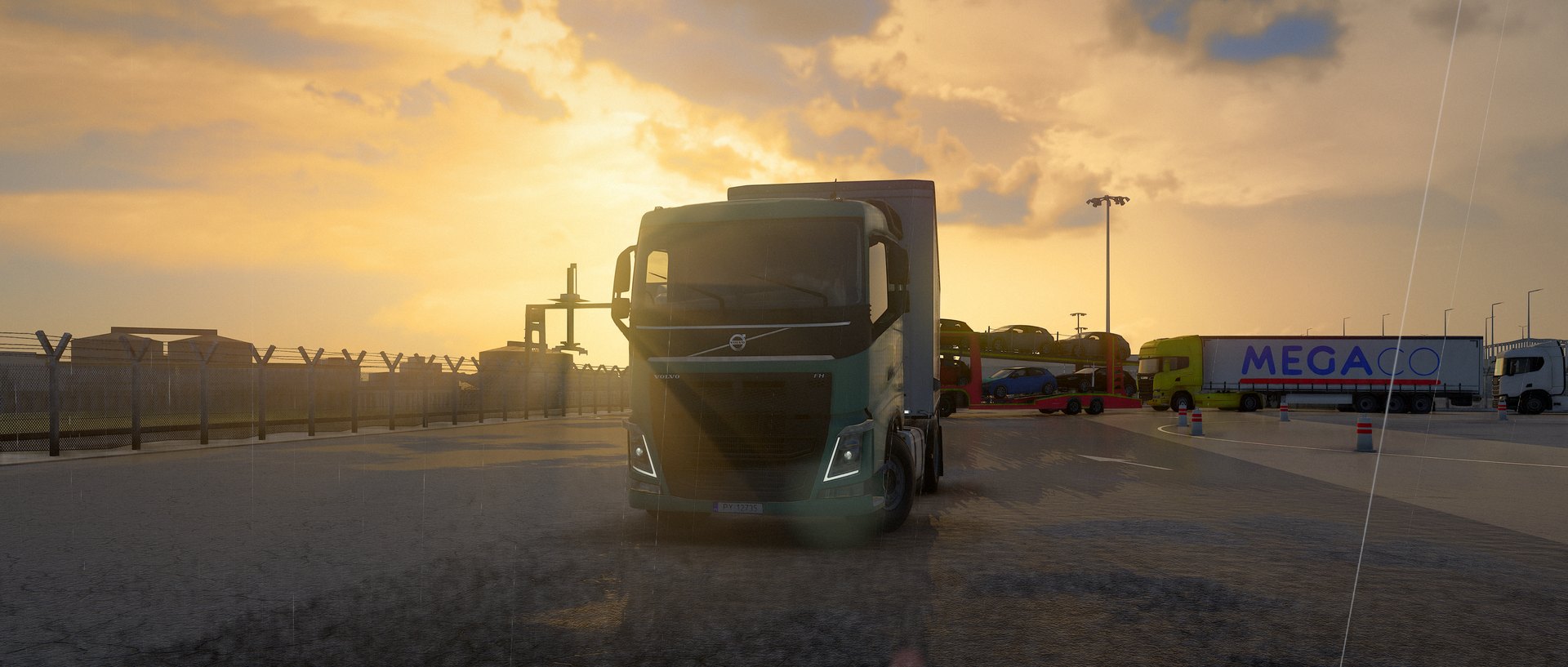
A green Volvo FH facing the camera in a port yard, the low sun right behind its cab, lit clouds above
Golden hour in a port yard.
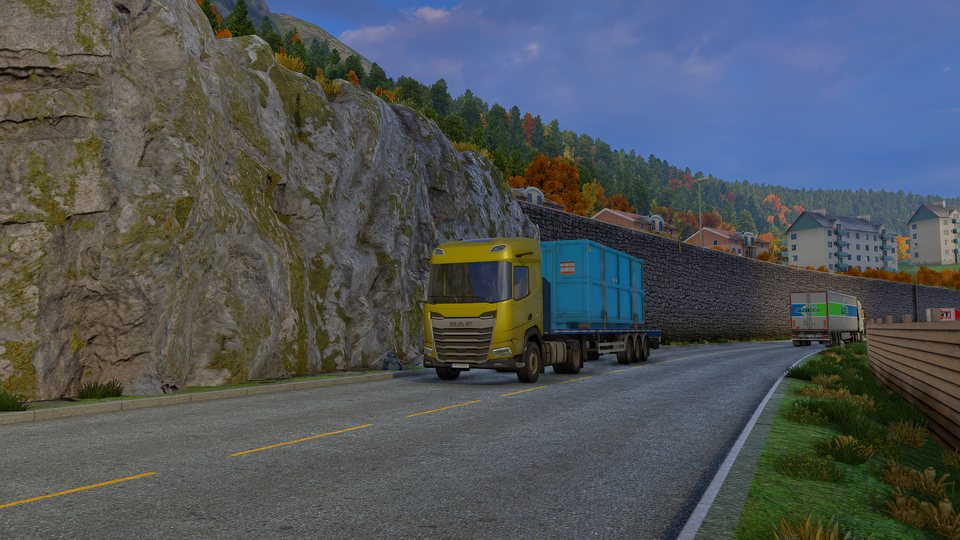
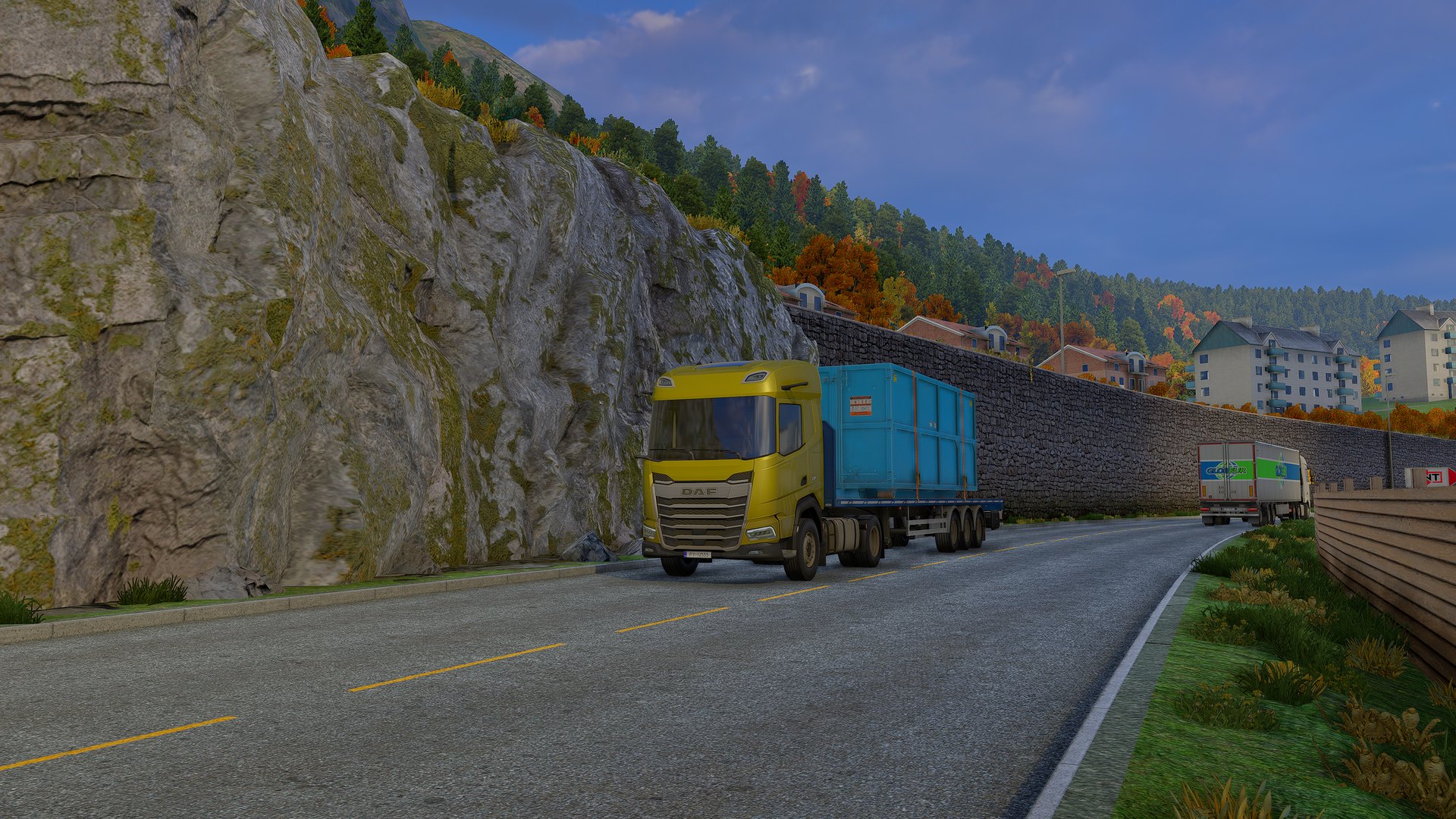
A yellow DAF with a blue container under a rock face in a Norwegian town
In the shade of the rock.

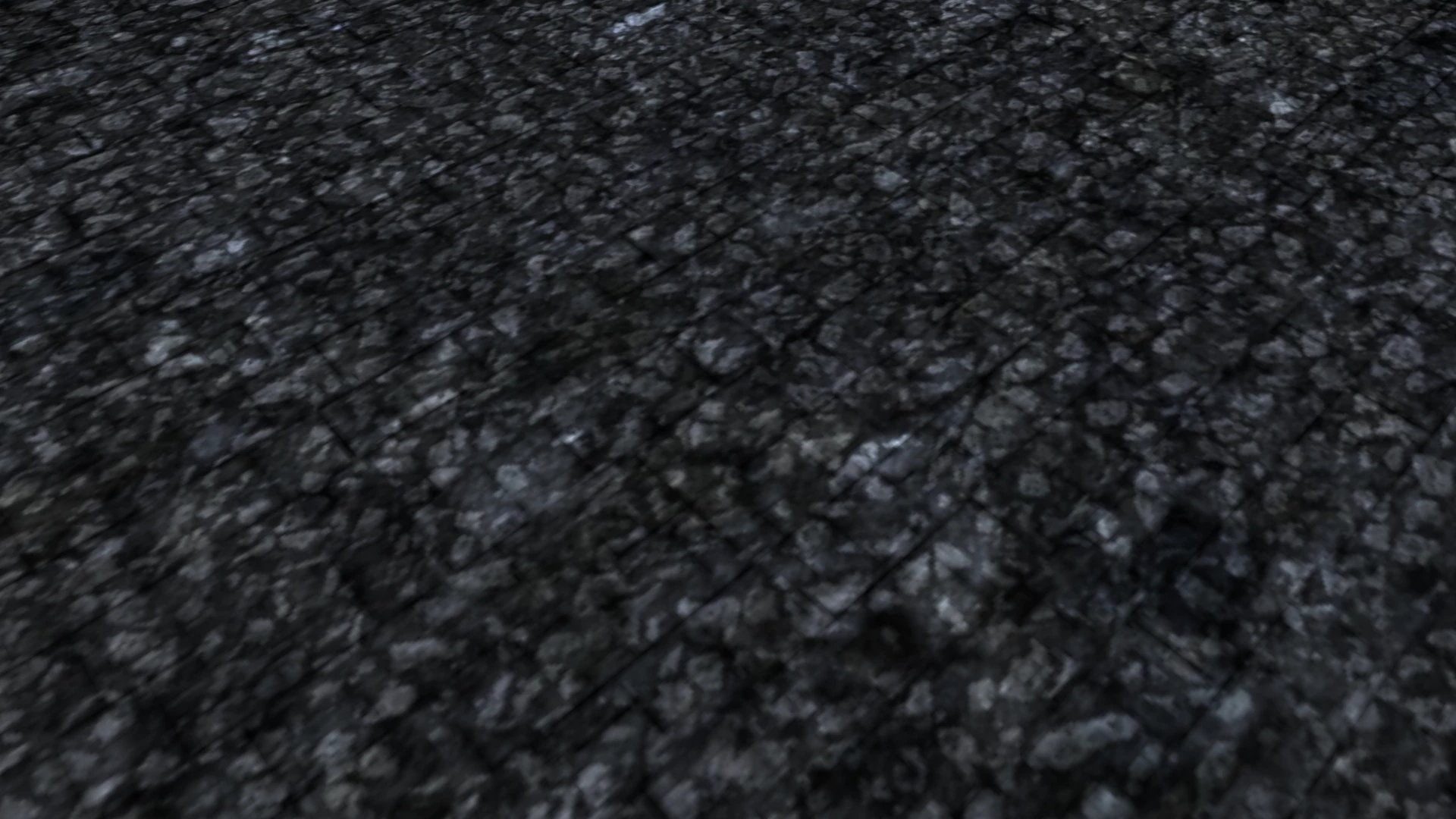
Every stone catches the light.

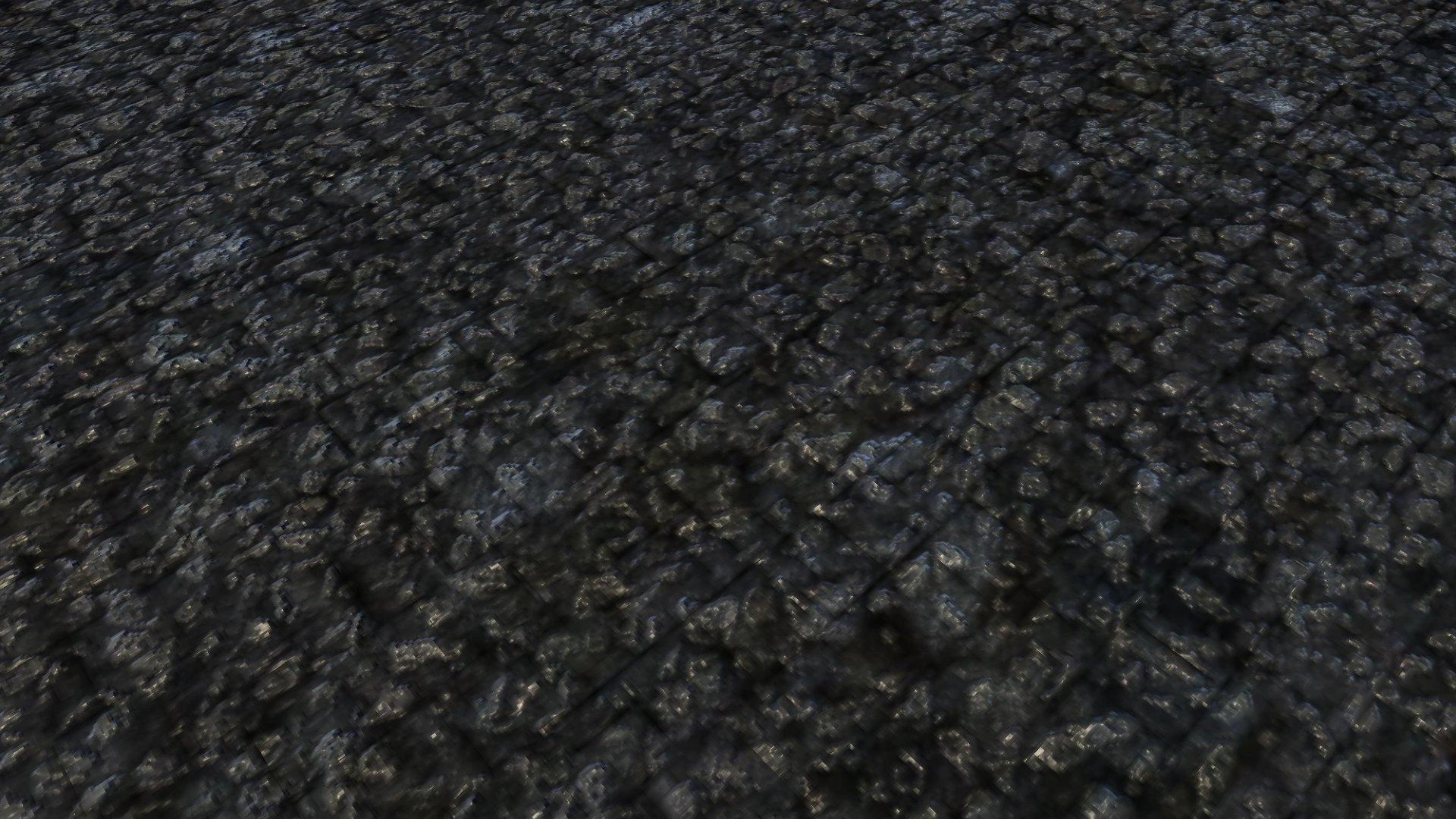
The game's road is a flat photo of asphalt. Deep Light draws it again with relief, so the low sun picks out every stone.

Euro Truck Simulator 2, a close-up of an asphalt road, Deep Light offEuro Truck Simulator 2, a close-up of an asphalt road, Deep Light on
Deep Light: road relief and detailDeep Light off: DBM Road textures, still flat

The Deep Light off side already has the free DBM Road textures installed; the road that ships with the game is much flatter still. The same frame with FSR native AA. Both sides use the same anti-aliasing. The Deep Light shot is darkened to the other side's brightness; asphalt brightness is a setting in game.

Switch it on while you drive.

One key turns Deep Light on and off, so you can judge it on your own roads, your own truck, your own settings.

The clip switches between Deep Light on and Deep Light off every few seconds.

What is inside.

Light
Physically based sun, sky and reflections, lit from the game's own sky. Deep ambient occlusion, cabin lighting and a filmic tonemap that keeps a sunlit road grey and the sky blue.
Materials
Asphalt with relief and roughness, wet roads with ripples, sidewalks and terrain; truck paint with clear coat and flakes; leaves and grass that let the sun through; cracks, old repairs and puddles in the road, and road grime on cars and trucks (upcoming).
Upscaling
DLSS 4 and 4.5 (presets K, L and M) and DLAA on NVIDIA RTX. FSR 3.1.5 upscaling and native AA on any DirectX 12 GPU, FSR 4 by default on Radeon RX 9000. Neither game has an upscaler of its own.
Frame generation
DLSS multi frame generation up to 6× on RTX 50 and 2× on RTX 40. FSR frame generation 2× on any DirectX 12 GPU. Dynamic mode fills your monitor's refresh rate.
Low latency
Frame generation runs with NVIDIA Reflex, so the truck answers the wheel without the usual frame generation lag. Reflex holds the frame rate at the cap you choose, so the picture stays smooth and the input stays quick.
Clean motion
Moving traffic gets its own motion vectors, so upscaling and frame generation keep it sharp without ghost trails. Motion blur leaves the cabin, mirrors and HUD sharp. An optional HUD-less mode keeps the game HUD crisp.
Your look
Start from a look preset, then make it yours with more than 70 live controls in the overlay: exposure, white balance, shadows, sun, sky, asphalt colour.
Your setup
ETS2 and ATS with one licence. Works with ProMods. Your game files are never modified, and Uninstall.bat puts everything back. Deep Light tells you when an update is ready.
TruckersMP
TruckersMP runs only on DirectX 11, and Deep Light has a DirectX 11 version for it: DLSS and DLAA on NVIDIA RTX, the physically based light with sky reflections, light through leaves, deep ambient occlusion, cabin lighting, the colour grade, sharpening, motion blur and the look presets. FSR, frame generation, water and window reflections need DirectX 12, in single player.

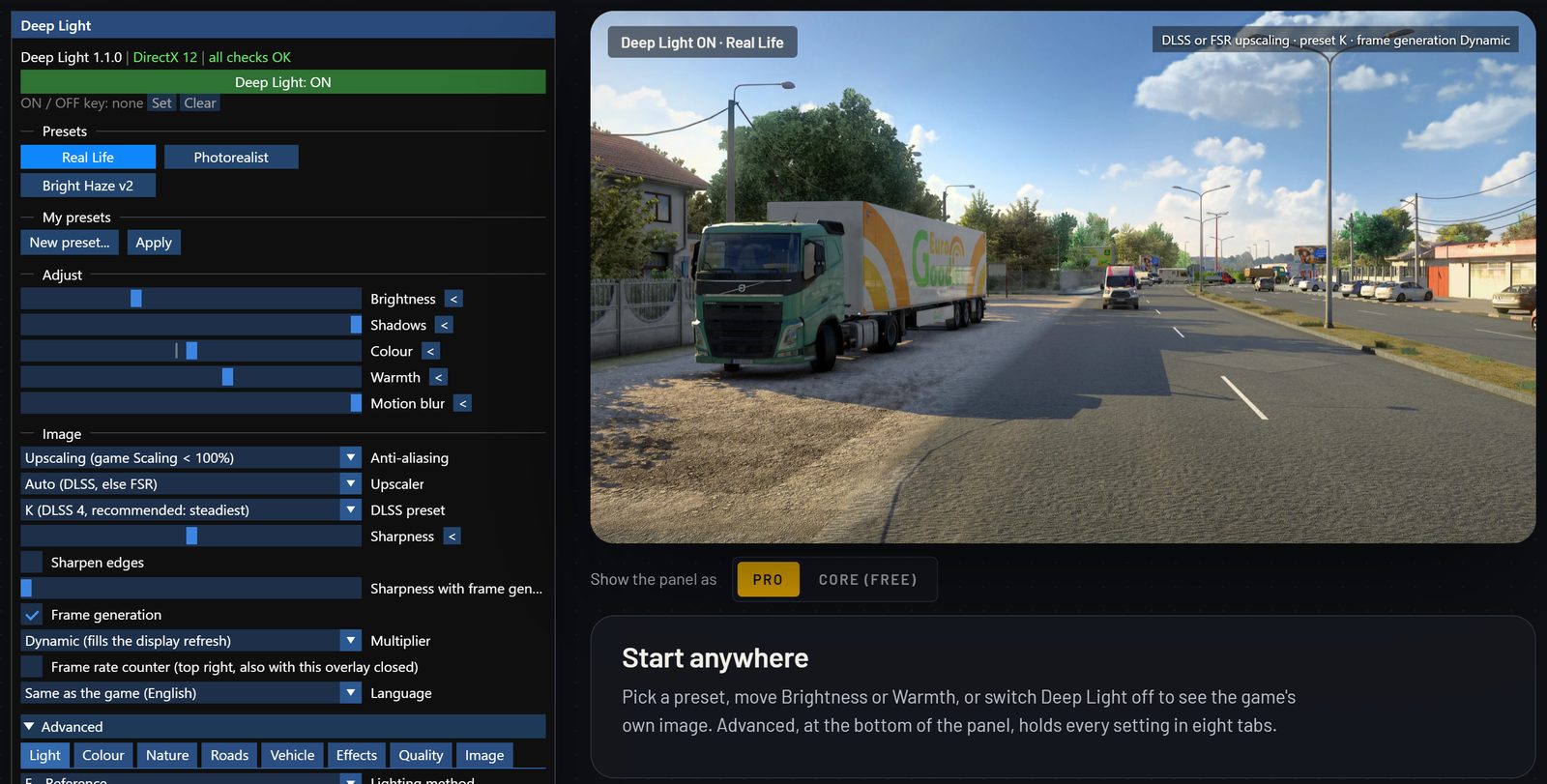
Try every setting before you install.

The settings guide is the Deep Light panel in your browser, next to real in-game screenshots that follow it. Pick a preset, move a slider, switch Deep Light off, and read what each setting does.

The Deep Light settings guide: the in-game panel next to a screenshot of a Volvo truck on a roadside

Open the settings guide

Made by one driver who builds things.

DBM is one developer. 20 free mods on the Steam Workshop, more than 126,000 subscriptions, and a support address that a person answers: support@dbmmods.com.

  • Works offline for up to 30 days, no always-online check.
  • Follows every game update: Pro gets each SCS beta first, Core gets the new version when it leaves beta.
  • Free for life in its Core edition, on every supported stable game version.

20 free mods. 126,000 subscriptions.

Roads, vegetation, water, lights, dashboards and trucks for ETS2 and ATS. Every mod stays free on the Steam Workshop.

See all 20 mods

Keep it running

Support DBM

Deep Light Core is free for life on every stable ETS2 and ATS game version Deep Light supports; SCS open betas come to Pro first. Deep Light Pro is the full set: every game update changes the shaders Deep Light works with, so each version needs new work. Your support pays for that work and keeps the mods free.

Core

€0
  • All DBM mods on Steam Workshop
  • Deep Light Core, free for life on every supported stable game version:
    • DLSS, DLAA and FSR anti-aliasing and upscaling, with Deep Light's own motion vectors
    • Colour grade: temperature, exposure, saturation, contrast, vibrance, shadows, highlights, blacks, whites
    • Basic PBR lighting: on or off, strength, sun intensity, sky light, reflections
    • Sharpening
    • Night exposure and dark nights
    • Cabin lighting
  • Activates itself online, no account, no payment
  • Comments and bug reports on this site
Get Deep LightBrowse mods

Pro monthly

€2.99/ month
  • Everything in Core, plus Deep Light Pro for the current version and SCS betas:
    • Frame generation: DLSS-G and FSR FG
    • Motion blur
    • Sun rays with lens flare (DX12)
    • Look presets, filmic tonemap and the grade extras
    • Deep SSAO and advanced PBR lighting
    • All materials: relief roads, cracks and patches, wet roads, puddles and rain ripples, sidewalks, terrain, car paint, dirt, foliage and leaves
    • Coming in 1.1.0: screen-space reflections, water with waves, light beams from headlights, a real sky and contact shadows
  • Euro Truck Simulator 2 and American Truck Simulator, one plan
  • New mods and updates 10 days early
  • Your bug reports are handled first
  • Works while you support; cancel any time

Renews automatically at €2.99 a month, plus VAT where it applies, until you cancel from your purchase email.

Join monthly
Pay on your phone

Scan with your phone camera to pay on your phone, by card or PayPal. Your licence key arrives by email.

Pro yearly

Founding price until 1 December 2026
€29.99€19.99/ year
  • Everything in monthly
  • Two PCs at a time, like your desktop and your laptop
  • Join by 1 December 2026 and €19.99 stays your price at every renewal
  • Cancel and join again later at the regular €29.99
  • Pay once and stop: you keep every Deep Light build for every game version released that year

Renews automatically at €19.99 a year, plus VAT where it applies, until you cancel from your purchase email.

Join yearly
Pay on your phone

Scan with your phone camera to pay on your phone, by card or PayPal. Your licence key arrives by email.

Prices exclude VAT, which is added at checkout where it applies. Payments by Freemius.

Keep

Pay for a year and it stays yours. Every Deep Light build for every ETS2 and ATS version released during your year keeps working on your PC, even if you never renew.

For everyone

Download Deep Light

Deep Light Core 1.1.1

Free for life. No account, no key.

Download DeepLight-1.1.1.zip
  1. Close the game, extract the zip, and run Install.bat. It finds ETS2 or ATS (or both), downloads ReShade, NVIDIA DLSS and AMD FidelityFX, switches the game to Direct3D 12 and backs up the files it replaces.
  2. Start the game and press Home to open the ReShade overlay > Add-ons > DBM Deep Light. Without a licence key, Deep Light Core (free) activates itself online, with no account. Pro subscribers paste the licence key from their Freemius email and click Activate.
  3. Restart the game. The overlay shows Deep Light Core, or who the licence belongs to and until when it is paid.

Next: set it up. The settings guide shows every setting on real in-game screenshots, with the best settings for FPS.

Open the settings guide

SHA-256 of DeepLight-1.1.1.zip: 5bad9bdb3a7e0710342566df09ccbc1d31a8805ae1a0e941608f0f50bbe80276

Known issues

  • Deep Light Core does not run on ATS 1.62 yet. Deep Light 1.1.0 with a Core (free) licence on American Truck Simulator 1.62, which left the open beta in November: the overlay says this game version is not open for Core. Until then: Pro runs on ATS 1.62 already. Core keeps working on ETS2 1.61. Support for ATS 1.62 is coming for Core in Deep Light 1.2.0.
  • Your own truck can look blurred in the outside camera on DX11. Deep Light 1.1.0 on DX11 with motion blur or upscaling: when you drive in tight circles in an outside camera, your truck blurs like the background and the number plate gets hard to read. Until then: Lower Motion blur in Advanced, or use the cab camera for tight turns. Being worked on for 1.2.0.
  • Small cab details soften while you drive on DX11. Deep Light 1.1.0 on DX11 with DLSS: small markings close to the camera, such as the symbols on the steering column stalks, fade while the truck moves and come back sharp when you stop. Until then: Use DX12 if your PC runs it (SwitchDirectX.bat). Being worked on for 1.2.0.
What changed

Changelog

Deep Light 1.1.1

Deep Light 1.1.1: fixes and smoother updates

  • Fixed (DX12): with the game’s anti-aliasing off, water could fill the video memory within seconds and end the game.
  • Game settings: Install.bat and every update now set the game’s anti-aliasing to TAA + SMAA and bring Scaling above 100% back to 100%, the settings Deep Light is made for. Uninstall puts your own values back.
  • Update now: after you close the game, the update window now opens on screen, finishes the update and offers to start the game again.
  • Update notices: Deep Light checks for a new version every hour while you play, not only at start.
  • ReShade’s Generic Depth add-on is now turned off at install: Deep Light does not need it, and it costs CPU time. If you use ReShade effects that need depth, tick it again in the ReShade overlay (Add-ons tab); updates leave your choice alone.
  • Crash reports: more detail when the game stops right after a save loads, so those crashes can be tracked down.
  • DirectX 11: the messages no longer say the filmic tonemap needs DX12. It has worked on DX11 since 1.1.0.
  • For ETS2 1.61 (Core and Pro) and the 1.62 open beta (Pro). Settings are kept.
Deep Light 1.1.0

Wet nights: reflections, water and light beams

  • Reflections (Pro): wet roads and puddles mirror the street lights, the traffic and the sky. Vehicle paint and windows reflect the world around them too. Advanced > Effects, with Strength and Distance sliders.
  • Living water (Pro, DX12): lakes, rivers and the sea get waves that move with the wind, a sun path that glitters on the surface, glints of the sky, rain ripples, foam along the shore, and a colour that deepens with depth. Advanced > Nature.
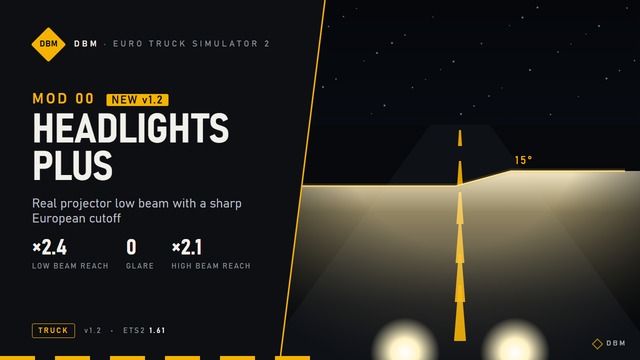
  • Light beams (Pro): headlights, street lights and lamps light up the air, so you see their beams from the side, thicker in fog and rain. Headlights keep their real shape: the low beam’s cut-off and the high beam’s spread. Separate sliders for street lights and headlights. The beams fade in daylight; the By day slider sets how much of them you still see at noon.
  • Headlight colours (Pro): choose Halogen, Xenon, LED or LED Matrix for your truck’s headlights, on the road and in the beams. Traffic too is optional. Works with the beams off as well.
  • Contact shadows (Pro): small objects sit on the ground: wheels, kerbs, poles and signs get the soft shadow right where they touch it.
  • Real Life preset: a new look tuned against hundreds of real road photos, for colours and light as a camera sees them. The list is now four presets: Real Life, Photorealist, Hyper-real and Bright Haze v2. If you used Moody, Bright Haze, Cool Clear, Soft Neutral or Daylight, your values stay as Custom.
  • How close to a photo: I measured it against 1,018 real road photos. Real Life with its new sky closes about 38% of the gap between the stock game and a real photograph, up from 24% before the sky. The full story: Inside the lab.
  • Your own presets (Pro): save the look you tuned under a name of your own, switch between your presets in one click, and share them: Share saves a file you can send, and other players add it with Import. On Home, under My presets.
  • Sharper traffic (DX12): with DLSS or FSR, trucks, trailers and buses stay sharp in motion, with no trail behind them. Painted cabs and trailer bodies keep clean edges and readable lettering, and a truck beside you at your speed stays solid.
  • Dirt: no more flicker on traffic, and the sliders now go up to 2 for denser dirt that reaches higher up the body.
  • Roads: cracks, patches, puddles and the asphalt colour now also reach roads that share their surface with a sidewalk.
  • DirectX 11: almost everything Deep Light does now works on DX11 too: the filmic tonemap, sun rays, reflections, light beams, headlight colours, the road, sidewalk, ground, foliage and truck paint materials. Water and window reflections stay DX12-only, and so does frame generation.
  • DLSS on DX11: the cab and your truck stay clean in motion: no dark trail behind the pillars and mirrors when you look around, no doubled edges on the truck while driving, and no over-sharpened cab when the camera turns with the steering wheel.
  • Advanced menu: reorganised into tabs. Roads and Effects have their own tabs (sun rays moved to Effects), headlights and vehicle reflections are under Vehicle, contact shadows under Light.
  • Sky: a daytime sky closer to real photos: deeper blue overhead, softer haze at the horizon, cloud undersides that are not too dark, and sunsets that keep their colour. Advanced > Effects.
  • Faster: motion blur now costs about a tenth of what it did, and a few other effects are lighter on the GPU, for a steadier frame rate.
  • After a crash: Deep Light no longer turns everything off. Only the effect that was running when the game stopped is paused for the next session, and Home says in plain words whose code ended the game and what you can do. Closing the game from Task Manager no longer counts as a crash.
  • FSR: a fault inside AMD’s FSR now turns FSR off instead of ending the game.
  • Fixed (DX12): in rain under an overcast sky, wet ground could flash orange and magenta, and wet roads, puddle edges, roofs and cars could flash brighter for single frames.
  • Fixed: wet roads right in front of the truck could show bright red patches.
  • Fixed: crashes and freezes on PCs where an overlay, a capture tool or a driver feature (such as AMD’s frame generation) runs its own DirectX next to the game’s: the game could freeze while loading, or crash a few seconds into a drive. Deep Light now works only with the game’s own graphics. On DX11 a rare freeze while driving with an overlay open is fixed too.
  • Fixed: at night the Moon could get a dark ring around it and a streak of light below it.
  • Crash reports: when the game stops before its first picture, the report now says how far the start got, so freezes at launch can be fixed too. Reports and collected logs leave out your Windows user name.
  • Installer: safer file handling when it runs with administrator rights.
  • For ETS2 1.61 (Core and Pro) and the 1.62 open beta (Pro). Settings are kept.
Deep Light 1.0.8

Updates from the game, sun rays, ten languages, crash reports

  • Update now: new versions install from the Deep Light panel in the game; only the files that changed are downloaded, and the new version runs at the next start. An update that needs a new ReShade, DLSS or FSR still goes through Install.bat.
  • Crash reports: after a session that did not end normally, the next start sends a short crash report to dbmmods.com (no name, email, licence key or IP address). CrashReports=0 in ReShade.ini turns it off.
  • DX11 or DX12: Install.bat asks which one, and SwitchDirectX.bat switches later.
  • Languages: the overlay in German, French, Spanish, Brazilian Portuguese, Romanian, Polish, Russian, Turkish and Chinese.
  • Other add-ons: Home lists the other ReShade add-ons running next to Deep Light.
  • Sun rays (Pro, DX12): light through trees, bridges and buildings when the sun is low, with a lens flare. The download was updated on 28 October to fix them showing as not available; if you have the first 1.0.8 download, download it again and run Install.bat with the game closed.
  • Presets: clearer tips on what each preset is for.
  • Fixed (DX12): wet roads, puddles and vehicles could flash red, green, blue or black in rain under an overcast sky.
  • For Core: everything Pro got in 1.0.5 to 1.0.7 (Scaling changes while you play, no shake on 16:10 screens, no black shadows, blue image or crash after a Scaling change, installer and licence fixes).
  • For ETS2 1.61 (Core and Pro) and the 1.62 open beta (Pro). Settings are kept.
Deep Light 1.0.7

Change Scaling while you play

  • Scaling changes in game: changing Scaling in the game’s graphics options while you play no longer needs a restart. Frame generation and DLSS or FSR keep running, and PBR lighting stays right.
  • Fixed: shadows could turn black, or the image blue, after Scaling was changed in a session.
  • Fixed: a crash that could follow a Scaling change.
  • For ETS2 1.62 (open beta, Pro) and 1.61. Settings are kept.
Questions

FAQ

How do I install Deep Light?

Download the ZIP, close the game and run Install.bat. Start the game and press Home to open the ReShade overlay, then go to Add-ons > DBM Deep Light. Uninstall.bat puts everything back as it was.

Is there a free version?

Yes: Deep Light Core, free for life on every stable ETS2 and ATS game version Deep Light supports. An SCS open beta comes to Pro first; Core gets that version when SCS releases it as stable. It has DLSS, DLAA and FSR anti-aliasing and upscaling with Deep Light's own motion vectors, the colour grade, basic PBR lighting, sharpening, night exposure and dark nights, and cabin lighting. It needs no licence key and no payment, only an online activation that happens by itself, with no account. Frame generation, motion blur, the materials and the other extra features are in Deep Light Pro.

What happens if I stop supporting?

Yearly supporters keep what they paid for: Deep Light keeps its full features on every game version released during their year. Monthly supporters who cancel keep Deep Light Core on every stable game version Deep Light supports, and the Pro features stop. Either way, the full features on newer game versions and early access to new mods come back when you join again. What you keep is yours for good: it can only be lost by sharing or cracking Deep Light (terms, section 6), never over a review, a refund request or cancelling.

Does it need an internet connection?

No always-online. Deep Light Core needs no key: it activates itself online at the first start and after each Deep Light update, then works offline. Supporters activate once by pasting their licence key into the ReShade overlay > Add-ons > DBM Deep Light. While you are subscribed it works offline for up to 30 days, plus 3 days of grace (up to 14 days from 21 November 2026), and renews its licence in the background, checking in about once a week when you are online. A monthly licence is active on one PC at a time, a yearly licence on two (for example your desktop and your laptop), and you can move it to another PC once every 30 days. After an unrefunded yearly period ends, the game versions released up to that date stay licensed for good (keep) and work offline. While online, they check in about once a month, so a licence moved to another PC stops on the old one.

How fast does Deep Light support a new beta or update?

Usually within days, often on the first day. Pro gets each SCS open beta first; Deep Light Core gets the new version when it leaves beta. DBM is one person, though, so illness, family matters or other emergencies can delay it. Any delay is announced in News. Your licence and the builds you already have keep working while you wait.

What if DBM stops making Deep Light?

Then the last build is released free for everyone, without any licence check, so nobody loses what they paid for. This promise is part of the terms of use.

Will it work with my GPU?

DLSS and DLSS frame generation need an NVIDIA RTX card. FSR and FSR frame generation work on any DirectX 12 GPU from AMD, Intel or NVIDIA.

Why a subscription?

SCS releases a new game version every few months, plus open betas and hotfixes. Each one needs Deep Light to be updated. The subscription pays for that ongoing work.

Found a bug?

Use the bug report form, or the Report a bug button in the Deep Light overlay, which fills in the diagnostics for you. Reports go straight to my mailbox and I answer by email.