Inside the lab: the research behind Deep Light 1.1.0
1.1.0, the next Deep Light, is the biggest one yet, and most of the work in it will never show up in a changelog. This post is about that part: what I measured, the tools I had to build before I could measure it, and the long list of things that went wrong on the way.
1. Can you measure “realistic”?
Until now, every preset was tuned by eye. Photorealist went one step further: it was fitted to an image model that had been asked to turn game frames into photographs. Both approaches share the same flaw. They follow someone’s taste, whether that someone is a person or a model, and taste drifts from one evening to the next. What I wanted instead was a number that does not care what anyone likes: how far a set of game frames is from a set of real photos of the same kind of scene, measured the same way every time.
So I built a judge with four parts:
- A reference set of real roads. About 5,600 street-level photos from Mapillary, taken along the roads ETS2 covers, filtered down to the 1,018 daytime photos in which a road actually fills part of the frame. For every photo the sun’s elevation is computed from its GPS position and capture time with the standard solar position equations. Game frames at noon are compared with photos taken under a high sun, and evening frames with a low sun, instead of matching clock times that mean different things in Lisbon and in Warsaw.
- Material by material. A semantic segmentation network trained on street scenes labels every pixel as road, sidewalk, vegetation, sky, building, vehicle and so on. For each material the judge collects statistics in CIELAB, a colour space built to follow human perception: lightness percentiles, hue and chroma, local contrast, the ratio between sunlit and shaded surfaces, how blue the shadows are, and how much haze builds up towards the horizon. Asphalt is compared with asphalt and sky with sky, regardless of what else happens to be in the frame.
- “Does it look like a photograph?” A second, self-supervised vision network turns each image into a vector of 1,024 numbers that describes its content and structure: shapes, texture, the density of small detail. The Kernel Inception Distance between the cloud of game frames and the cloud of photos measures how clearly the game still reads as a render, even when every colour is right.
- One common scale. Each part is divided by its own “real floor”: the distance between two random halves of the photo set. A score of 1 per part means “as far as one set of real photos is from another”, and a set of 12 real photos scores about 0.5 against the rest. Lower is more real, and 0 would be indistinguishable from the photos.
Before trusting any of it, I tested the judge against itself. Real photos it had never seen scored like real photos. Photos I damaged on purpose came out worse, and in a sensible order: a slight grey veil cost the least, a colour cast and oversaturation more, a flat low-contrast image more still, and crushed blacks or burnt highlights the most. Raw game screenshots landed far outside anything a camera produces.
Then the game had to be driven without a person in the seat. I recorded places every few hundred metres while driving London-Felixstowe and Berlin-Lodz. A script then teleported the camera back to each place, at bumper height and looking along the road, set the time to 13:00 in clear weather, and shot every place with a long series of different looks, a few seconds per look.
Searching a large settings space directly in the game is slow: a whole night gives a few hundred measured looks. So the search works in three stages. First it nudges each setting by a small step and records how every statistic responds. From that it builds a fast mathematical model of the judge, which can be searched thousands of times in a few seconds. Finally it verifies the model’s best proposal in the game. A proposal is accepted only if the real measurement confirms it. The model is corrected with whatever it got wrong, and the next step is made larger or smaller depending on how well the model predicted. Every fourth place is held back and never shown to the search, so the final check is made on roads the search has never seen.
The result is the new Real Life preset in 1.1.0. On the same 12 places with the DBM mods, with the stock game counted as 0% and real photos as 100%:
| Look | Score (lower = closer to real photos) | Of the way to reality |
|---|---|---|
| Deep Light off | 98.8 | 0% |
| Photorealist | 76.4 | 23% |
| Real Life (1.1.0) | 75.3 | 24% |
| Real Life + calibrated sky (test build) | 61.2 | 38% |
| Real photos | ~0.5 | 100% |
At first glance Real Life barely beats Photorealist, and that small gap was the most useful result of the whole search. The search was allowed to move every setting a preset has, and even so it could not get much further than Photorealist had. That means Photorealist was already close to the best those settings can do. The rest of the distance had to be somewhere no preset could reach. The judge’s per-material statistics showed exactly where: the sky, which no setting in the game touches. That finding led straight to section 2, and to the jump from 24% to 38% of the way.
Real Life still earns its place. It was fitted to real photos rather than to an image model’s idea of a photo, it held its gain on the places the search never saw, and it is the base the calibrated sky was tuned on.
The presets that had stopped earning their place (Moody, Bright Haze, Cool Clear, Soft Neutral, Daylight) are gone, so the list is shorter and every entry in it has a reason to exist.
What went wrong
The failures taught me more than the successes did, and nearly every one of them left a permanent rule in the tools:
- The camera was in the sky. The first sensitivity numbers were measured from high above the city centres, because that is where a “go to city” command drops the camera. Hence the recorded road places, and a check that two distant places really give two different pictures before any measurement starts.
- “Off” was not off. My first stock shots still had our road cracks in them, and I only noticed when I put the images side by side. Now “off” means the player’s real ON/OFF hotkey, and its state is read back from the settings file before anything is shot.
- “Clear” weather was overcast. One of the weather settings gives a grey sky. For a whole night, overcast frames were judged against mostly sunny photos. The photos are now sorted into sunny, overcast, wet, snow and fog by a separate classifier, and each weather is judged against its own kind.
- The first frame lies. The first shot after a teleport or after the ON/OFF key scored about 6 points worse than the same view a few seconds later. Detail is still streaming in, and the image still carries history from the previous view. Until I found that, almost every setting looked like an improvement. Every place now starts with a throwaway shot that is never scored.
- The search drifted. The first run improved the score, but it also quietly moved settings that noon frames barely show: sun rays were halved and leaves lost their shine. Every change now carries a cost, so a setting moves only when the gain it brings is larger than that cost.
2. The sky, and lighting almost at parity
The single largest gap the judge found was the sky. Measured as median lightness on a 0 to 100 scale, the sky in the real photos sits at 79. The stock game’s sky sits at 32, two to four standard deviations darker than the photos. It also leans magenta, stays saturated blue all the way down to the horizon where a real sky turns whitish with haze, and its clouds carry about half the local contrast of real ones.
So I wrote a sky look of my own and let the judge calibrate it, with the same search as Real Life. Its brightness, horizon haze, tint and cloud contrast were all fitted against the photos rather than chosen by eye. It fades in only once the sun is more than a few degrees above the horizon. The first version burnt sunsets to a white-pink, so sunrise and sunset keep the game’s own colours while their calibration is still to come.
The calibrated sky now measures 78 against the photos’ 79: almost exactly the brightness of a real sky at noon. With it, colour and light as a whole (every material statistic the judge collects, plus the photographic guards) have closed about 85% of the distance between the stock game and the real photos. On the same 12 places, Real Life with the sky scores 61.2, down from 98.8 with Deep Light off and 75.3 for Real Life on its own.
The sky is not part of 1.1.0. It runs in my test builds and needs its own sunset, overcast and rain calibrations before it ships. But the measurement already says something important. Lighting and colour are nearly solved. What the judge still sees is shape and detail: road edges that are too clean, too little clutter, and trees that all look the same. On that axis the game has moved only about 17% of the way. That gap is content, not light, and it is where the next big steps will come from.
3. A flicker test that never gets tired
Flicker is the bug I hate most, and it is also the hardest one to report. It shows up for one frame in a thousand, in one weather, at one time of day, and a video of it rarely survives compression.
For 1.1.0 I built an automatic test. It drives the game through every weather and every part of the day (sun, rain and fog, day and night, inside the cab and outside) and records long runs with Deep Light on and with Deep Light off. A real flicker is a frame that jumps away from both of its neighbours while the same moment in the game on its own stays steady, so the test looks for exactly that and ignores ordinary scene changes such as a car passing or a cloud moving.
It now runs before every release, so a flicker that was fixed stays fixed. It also showed something I did not expect. On a clean game with a clean ReShade, the flicker was gone. On a profile full of graphics mods, some of it came back. So if you still see flicker, start by turning off other presets and mods. Deep Light’s Home page now lists the add-ons running next to it.
4. Traffic that stays sharp under DLSS and FSR
Upscalers and temporal anti-aliasing rebuild each frame from the frames before it. To do that, they need to know where every pixel was one frame earlier. For the world around you that information was right. For moving traffic it was not. Trucks and buses dragged a trail behind them, lettering on trailers smeared, and a truck overtaking you left a ghost of itself on the road.
Most of this work was measurement, not fixing. I built a debug view that colours every object on screen by how its motion was understood, plus probes that log every object whose motion did not add up. A truck beside you at your own speed was the hardest case: on screen it barely moves while the world streams past it, so any error shows up as smearing against the background.
In 1.1.0, on DirectX 12 with DLSS or FSR, trucks, trailers and buses stay sharp when they pass you, when you pass them and when they pull away.
5. Dirt that holds still
Dirt on traffic used to flicker slightly. Each frame estimated afresh where the ground was under a vehicle and how high the dirt should reach, and two consecutive frames did not always agree. Now the estimate is a weighted fit over many sample points, carried and smoothed from frame to frame, so it stays put. With that solid, the dirt sliders could go up to 2, for denser dirt that reaches higher up the body.
6. Wet nights
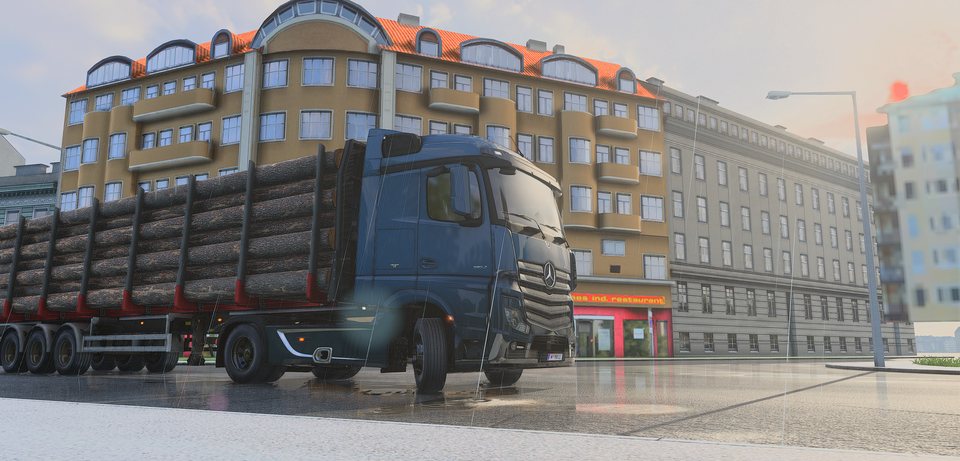
The headline of 1.1.0 is night rain:
- Reflections on wet roads, puddles, vehicle paint and windows.
- Living water with wind-driven waves, a sun path, rain ripples and shore foam.
- Light beams that make headlights and street lights visible in the air, thicker in fog and rain.
The hard part of the beams was not the fog but the shape. A beam that is just a cone of light looks fake straight away, because a real low beam has a sharp horizontal cut-off and a real high beam has a long, wide spread. Your truck’s beams now follow the light pattern of its real headlights, at the same brightness. You can also pick their colour (warm halogen, white xenon, cool LED or blue-white LED Matrix), and it applies to the light on the road as well as to the beams.
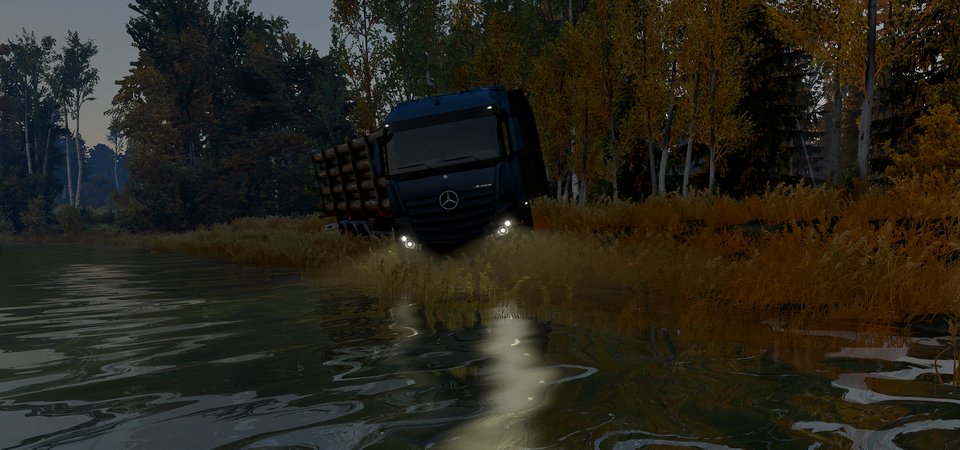
The beams also had to know when to step back. In daylight you should barely see them, so they fade as the sun rises, and a By day slider sets how much of them is left at noon.
7. DirectX 11
Almost everything Deep Light does now works on DirectX 11 as well: sun rays, reflections, light beams, headlight colours, and the road, sidewalk, ground, foliage and truck paint materials. Each one was checked on both APIs before it went in. Water, window reflections and frame generation stay DirectX 12-only for now.
What is next
The judge from section 1 now decides what I work on.
The game will not look the same for much longer.