Why upscaling, not lower settings
Lowering the game's Scaling alone makes the picture soft and blocky. With an upscaler, the game renders fewer pixels and DLSS or FSR rebuilds the full image from the last frames and their motion. You keep most of the FPS gain and get an image close to native, often cleaner than the game's own TAA.
Five steps
- Download Deep Light, close the game and run Install.bat. Deep Light Core activates itself the first time, with no account.
- In the game's graphics options, set Anti-aliasing to TAA or TAA + SMAA.
- Set the game's Scaling: about 67% for Quality, about 58% for Balanced, 50% for Performance.
- Press Home, open Add-ons > DBM Deep Light and pick Upscaling as the anti-aliasing mode.
- Leave Upscaler on Auto: DLSS on an NVIDIA RTX card, FSR on any other DirectX 12 GPU.
More frames with frame generation
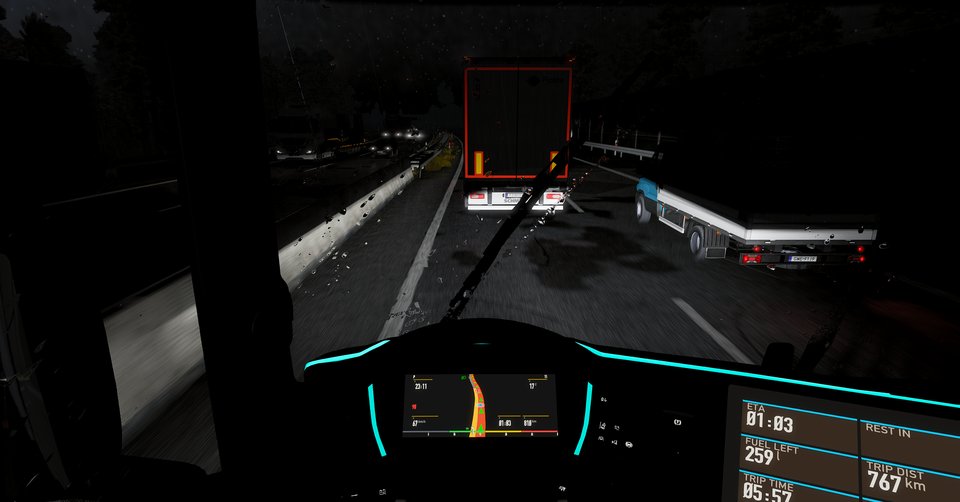
Deep Light Pro adds frame generation: DLSS frame generation on RTX 40 (2×) and RTX 50 (up to 6×), or FSR frame generation (2×) on any DirectX 12 GPU. In night rain from the cab, 51 frames rendered became 154 on screen with DLSS frame generation. In American Truck Simulator, upscaling to 4K with frame generation ran at 110 to 130 FPS on an RTX 5070 Ti (the test).
Two settings outside the game
- For DLSS frame generation on RTX 40 and 50, turn on Windows hardware-accelerated GPU scheduling. Without it Deep Light uses FSR frame generation.
- Close RivaTuner Statistics Server while frame generation is on. The overlay tells you when it finds it running.
Current game version: ETS2 1.61. Core also has the colour grade, basic lighting and sharpening.
One licence covers ETS2 and ATS. No always-online: it works offline for up to 30 days. See the FAQ for what happens if you stop.
Questions
How do I get more FPS in ETS2 without losing quality?
Render fewer pixels and let an upscaler rebuild the image: set the game's Scaling below 100% and let DLSS (NVIDIA RTX) or FSR (any DirectX 12 GPU) bring it back to your screen size. Deep Light Core does this for free.
Is Deep Light Core really free?
Yes, for life, on every stable game version Deep Light supports. It activates itself online the first time, with no account and no payment.
Which Scaling should I use?
About 67% for Quality, about 58% for Balanced and 50% for Performance. 100% means native anti-aliasing (DLAA or FSR native AA) with no FPS gain but a cleaner image than the game's TAA.
Can I go further with frame generation?
Yes, with Deep Light Pro: DLSS frame generation on RTX 40 (2×) and RTX 50 (up to 6×), or FSR frame generation (2×) on any DirectX 12 GPU.